


'/%3E%3Cpath%20fill='%23b2b2b2'%20d='M241%20382q0%2016%2017%2026%2017%2011%2042%2011t42-11q16-11%2017-26V269H241'/%3E%3Cpath%20fill='%239f7e00'%20d='M241%20379q0%2014%208%2023%209%209%2021%209%2014%200%2021-9%209-9%209-23V269h-59'/%3E%3Cpath%20d='M241%20339v-70h59v110q0%2014-9%2023l-6%205v-68h-15v72q-8%200-14-4v-68zm59%2040c0%2022%2015%2032%2029%2032%2021%200%2030-18%2030-32v-40h-59'/%3E%3Cpath%20fill='%239f7e00'%20d='M266%20277v5h2v12h-3v-5h2v-5h-9v5h2v5h-4v9h3v18h-5v10h34v-10h-5v-18h3v-9h-4v-5h2v-5h-9v5h2v5h-3v-12h2v-5zm42%20101q0%2010%206%2017%206%206%2015%207%2010-1%2016-7%206-7%206-17v-29h-43'/%3E%3Ccircle%20fill='%230044ad'%20cx='329.5'%20cy='372'%20r='6'/%3E%3Cellipse%20fill='%230044ad'%20cx='300'%20cy='340'%20rx='16'%20ry='21'/%3E%3C/svg%3E)

'/%3E%3C/g%3E%3Cuse%20href='%23c'%20transform='matrix(-1%200%200%201%20720%200)'/%3E%3C/svg%3E)


'%3E%3Cpath%20stroke='%23000'%20stroke-width='4'%20d='m-35-37-13%2020m5%203%2013-20m5%203-13%2020m63%2042%206-9m1-2%206-9m5%203-6%209m-1%202-6%209m5%203%206-9m1-2%206-9m-96%200%2013%2020m5-3-6-9m-1-2-6-9m5-3%2013%2020m63-42-6-9m-1-2-6-9m5-3%2013%2020m5-3-6-9m-1-2-6-9'/%3E%3Ccircle%20r='24'%20fill='%23cd2e3a'/%3E%3Cpath%20fill='%230047a0'%20d='M0%200a12%2012%200%201%201%2020%2013%2024%2024%200%201%201-40-26A12%2012%200%201%200%200%200'/%3E%3C/g%3E%3C/svg%3E)


Résumer cet article :
The Xgody Gimbal N6 Pro challenges the projector market with its unbeatable positioning: accessible, ready to use, and designed for small spaces. Aimed at customers who do not wish to invest in a high-end television or projector, this model appeals with its versatility and portability. At a time when access to streaming content is redefining our living room habits, it offers a unique alternative to quickly transform any room into a dark theater without breaking the bank.
Designed as a pragmatic response to budgetary and space constraints, the Xgody Gimbal N6 Pro projector primarily targets students, young professionals, or families wishing to experience the joy of home cinema without blowing their budget. With its Full HD resolution, Wi-Fi 6 compatibility, and ease of installation, it succeeds where many competitors fall short: making projection accessible to the largest number, while incorporating essential modern usages (voice commands, screen sharing, pre-installed applications). Let’s discover it in more detail in this review.
In brief:
- Unbeatable price positioning: one of the most affordable Full HD projectors on the market (often less than €130 on Amazon – occasional promo code).
- Ultra-simple installation: autofocus, 4D correction, automatic surface recognition, adjustable stand.
- Complete connectivity: HDMI, USB-A, Wi-Fi 6, Bluetooth, and Miracast/AirPlay/DLNA compatibility; HDMI cable included.
- Smooth interface under Whale OS, direct access to streaming applications (Netflix, Prime Video, Disney+, YouTube).
- Decent image quality in Full HD, but dependency on darkness and brightness limits (700 ANSI).
- Integrated stereo sound sufficient for background, but quickly limited; headphone output for external speaker.
- Compact remote with dedicated shortcuts, integrated voice commands.
- Recommended usage: occasional projection, streaming, family cinema on a budget, casual gaming; poorly suited for competitive gaming.
Presentation of the Xgody Gimbal N6 Pro: Best Price Full HD Projector
Away from the overpriced models displayed by premium brands like Xgimi or BenQ, the Xgody Gimbal N6 Pro projector capitalizes on one promise: to allow everyone to enjoy a home theater experience without sacrificing their entire leisure budget. Regularly offered at less than €130 on Amazon (and even right now at €108 thanks to our promo code 8ZHNPC85), this Full HD model goes head-to-head with far more expensive industry standards.
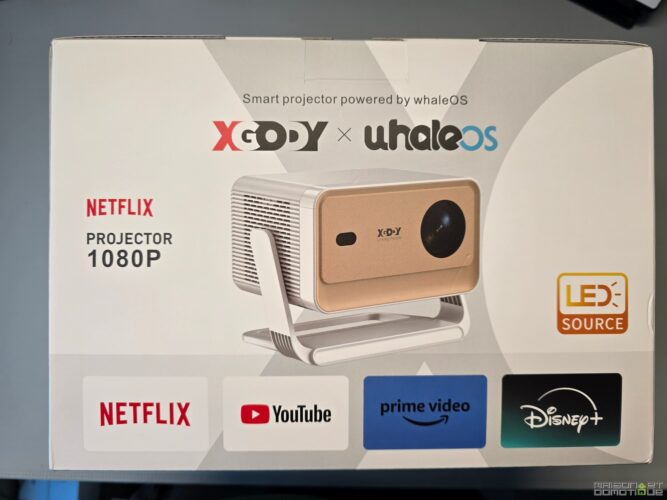
Its greatest asset? Making modern projection accessible thanks to a serious technical sheet on paper: a Full HD definition (1920x1080p), a LED light source, compatibility with the latest wireless transmission standards, and an open software ecosystem. Compared to competitors like the Xgimi MoGo 2 Pro or the Epson CO-FH02, the Xgody appeals to those who want to quickly transform a bedroom, living room, or workspace into a temporary projection surface.
The Xgody Gimbal N6 Pro targets right away those for whom budget is the main obstacle to purchasing a projector. Its strategy? Bet on ease of use, a practical design, and the promise of great versatility.
| Characteristic | Detail |
|---|---|
| Native resolution | Full HD (1920x1080p) |
| Announced brightness | 700 ANSI lumens (in real conditions, comparable to other entry-level models) |
| Light source | LED, estimated lifespan of 30,000h |
| Operating system | Whale OS (based on Android 13) |
| Integrated applications | Netflix, Prime Video, Disney+, YouTube |
| Voice commands | Yes, microphone integrated into the remote |
| Connectivity | HDMI (1x), USB-A (1x), 3.5mm jack, Wi-Fi 6, Bluetooth 5.2/5.4 |
| Weight | 1.3 kg |
| Dimensions | 19.5 x 14.8 x 14.2 cm |
| HDR compatibility | HDR10 (limited in practice) |
| Average observed price | €130 (Amazon) |
Who is the Xgody Gimbal N6 Pro Projector for?
The typical profile of a user of the Xgody Gimbal N6 Pro is someone looking to maximize their value for money. This target includes, for example, a student who wants to occasionally turn their room into a mini-cinema, a shared living situation where a Netflix or Prime Video series is projected onto a white wall, or a family that wants to provide an immersive experience for the kids during a Saturday movie night.
- Streaming enthusiasts and improvised movie nights, more demanding on ease of installation than on absolute image or sound quality.
- Small urban spaces where placing a television is not feasible.
- Novices in projection, not ready to invest in a high-end Epson or Xgimi.
This model is not aimed at projection purists, nor at those looking for faithful color rendering or high brightness for a large bright room. Here, everything is designed for discovery and casual use: the constant compromise between friendliness, portability, and accepted technical limits.
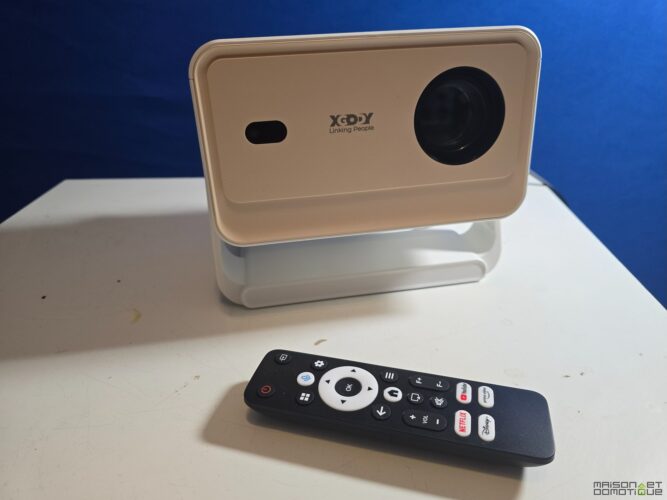
Compact Design and Build of the Xgody N6 Pro: Strengths and Limitations
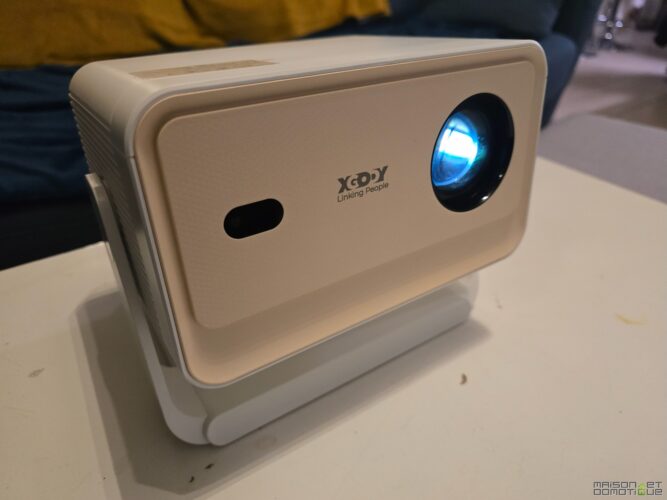
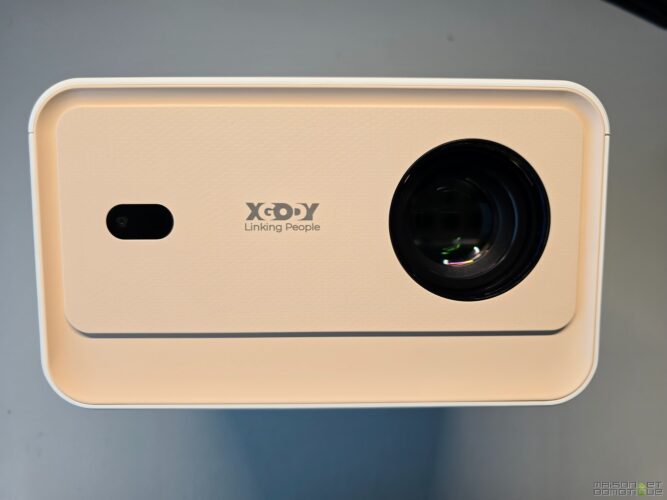
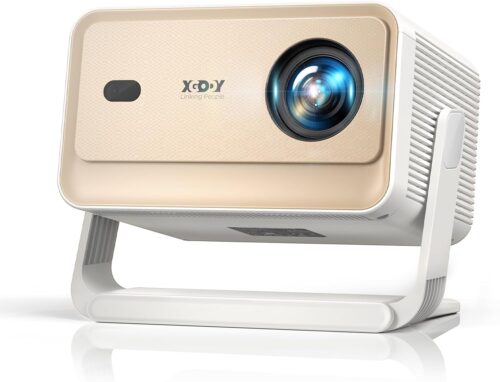
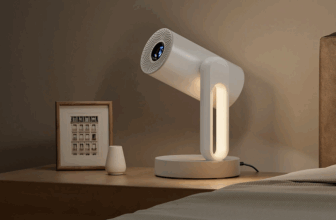
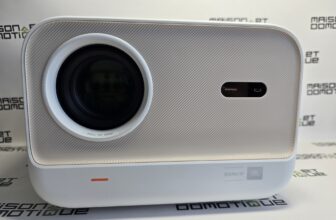
With its tablet pebble format, the Xgody N6 Pro offers an immediately recognizable design. Its compactness and light weight (only 1.3 kg) facilitate back and forth between different rooms or even during travel.
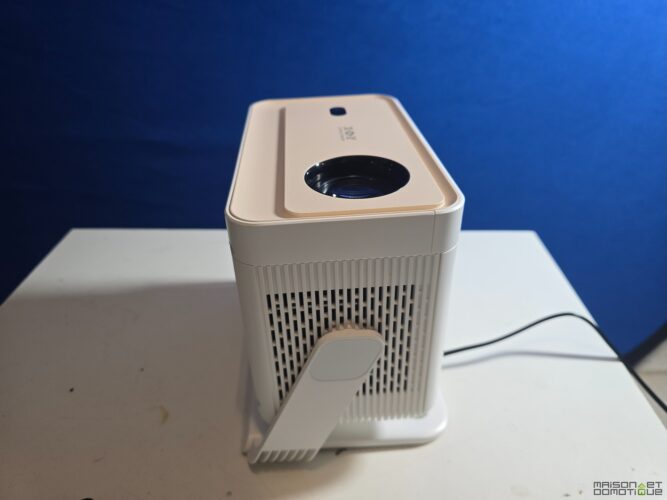
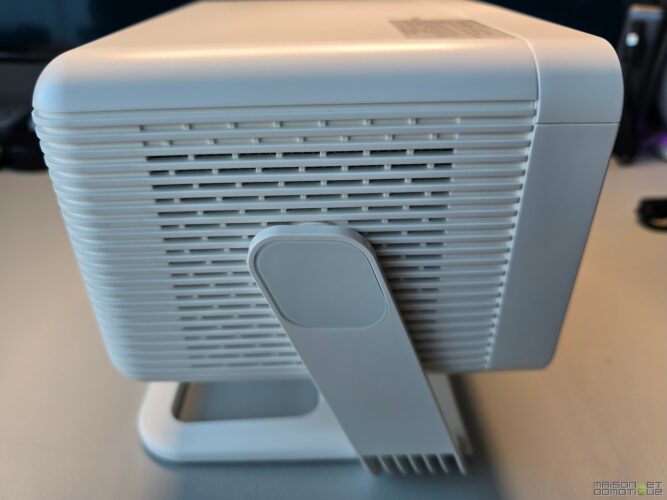
An appealing point of the Xgody N6 Pro: its small integrated cradle under the chassis, which allows for simply directing the device towards the wall or ceiling without a stack of books or additional accessories. This trick, inherited from premium projectors (like certain Xgimi models), makes installation quicker and contributes to the overall portability.
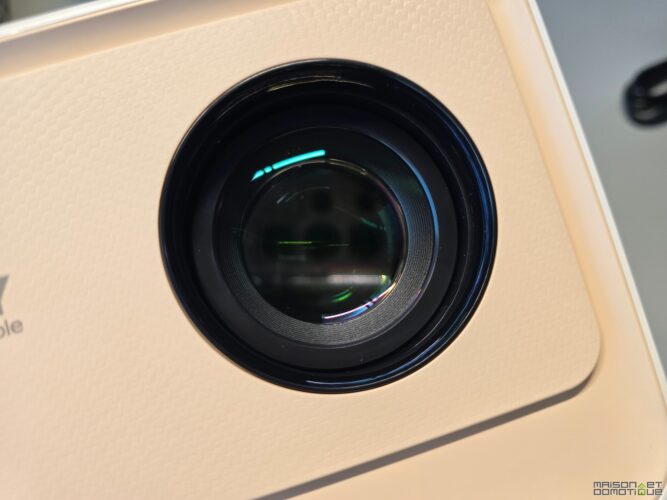
In contrast, the plastic casing and the lack of protective elements for the optics remind that one should handle the device with care, especially in a family or student environment where accidents are frequent.
Ergonomics and Installation of the Xgody N6 Pro: 4D Correction and Autofocus
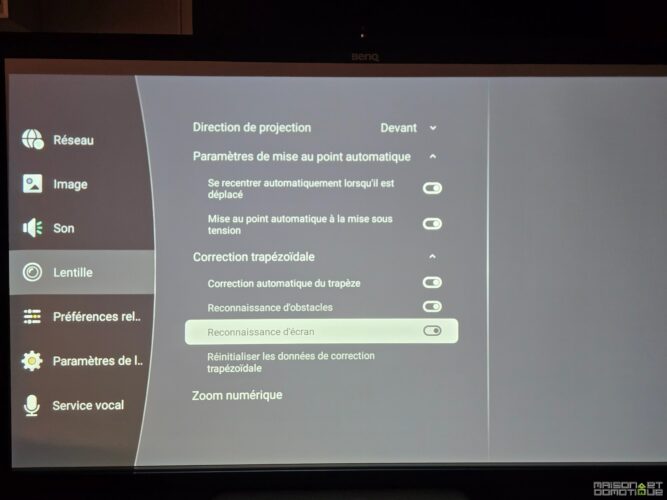
What distinguishes the Xgody N6 Pro from most low cost projectors lies in the many automatic installation aids. From the moment it is turned on, intelligent detection recognizes the presence of an appropriate surface (white wall, projection screen). The autofocus adjusts the automatic focus to obtain a clear image almost instantly, a significant advantage compared to the competition.
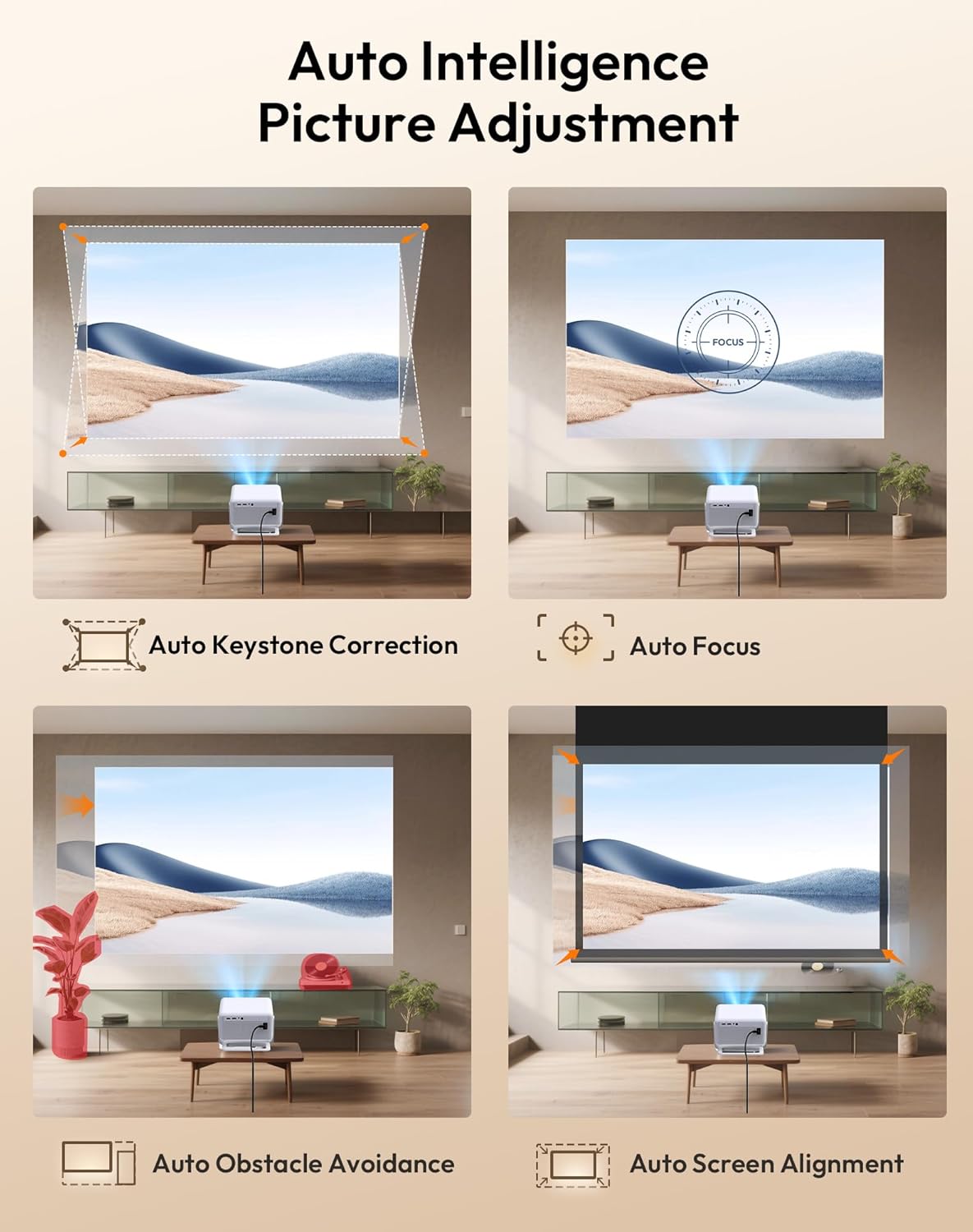
The 4D keystone correction (vertical and horizontal) easily manages deformations due to off-center or angled placement, while a digital zoom allows for modulating the size of the image without physically moving the projector. In use, this is quite impressive on a device at this price point. However, in the absence of optical zoom and lens shift, modifying the projected size almost always requires physically moving the device, a point to know for the flexibility-minded user.
In practice, only the absence of optical zoom imposes some manipulations to obtain a truly customized image size. But the execution speed and simplicity of handling place this projector at the forefront for express sessions among friends or family, unlike many more expensive models that are finicky to set up.
Complete Connectivity of the Xgody Gimbal N6 Pro: HDMI, USB, Wi-Fi 6, Bluetooth
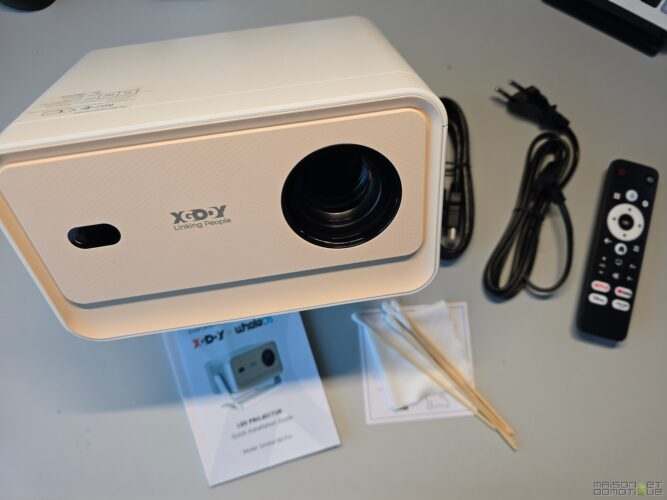
The Xgody Gimbal N6 Pro utilizes modern connectivity standards, managing to integrate the essentials for a 100% multimedia use without technological overkill. Its connectivity offers an HDMI port for connecting consoles, players, or TV boxes, a USB-A port that reads most video/audio files, and a 3.5mm headphone output essential for improving audio reproduction with an external system.
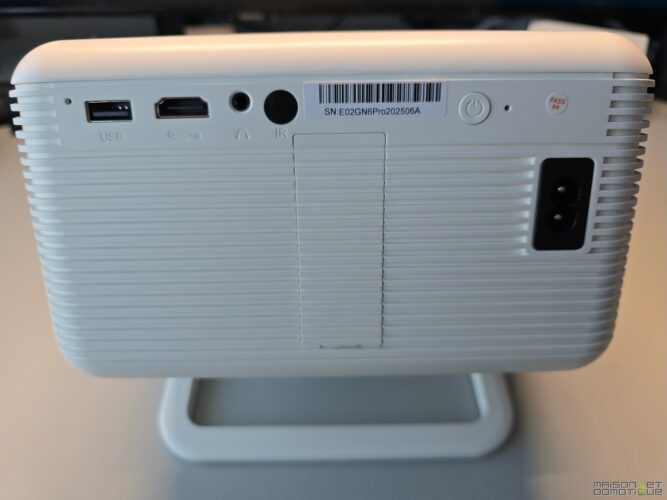
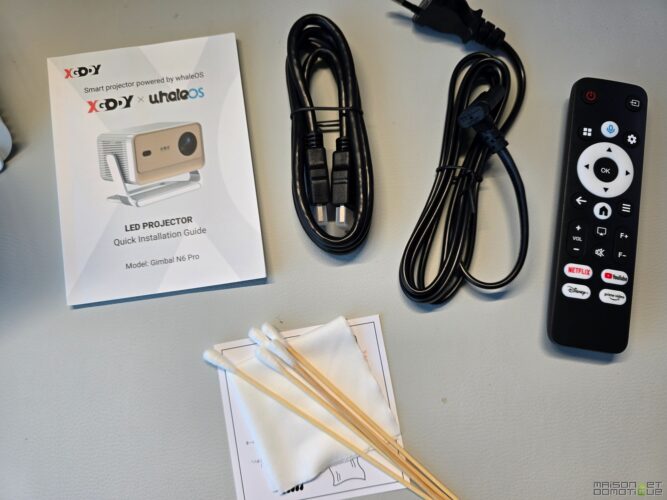
Wi-Fi 6 ensures a fast and stable connection to streaming services, even in very crowded environments (shared apartments, student residences). Bluetooth 5.2 allows the projector to pair with speakers, headphones, or sound bars without visible cables. A rare feature in this price range, Xgody provides an HDMI cable in the box, avoiding an additional expense.
Miracast, AirPlay, and DLNA Compatibility for Easy Screen Sharing
This projector is not limited to local playback but embraces the sharing screen trend. By supporting Miracast, AirPlay, and DLNA, it allows for direct streaming of multimedia content from a smartphone, tablet, or computer, without resorting to additional accessories.
- Instant projection of a YouTube video from an Android device or a photo album via AirPlay from an iPhone.
- Wireless mirroring for team meetings or quick gaming sessions, without complex setup.
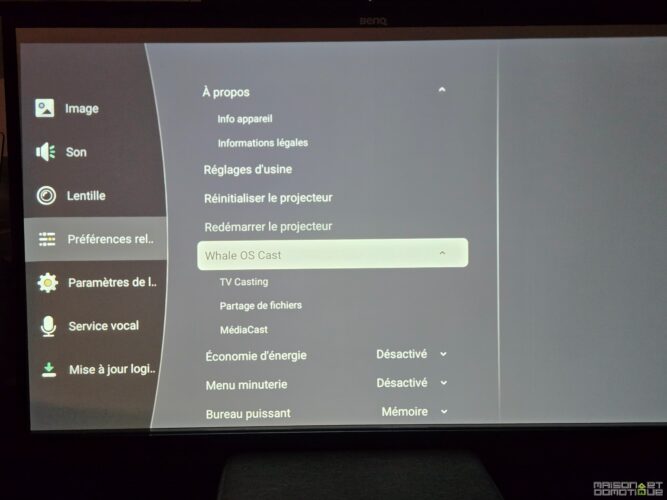
The universal compatibility of the Xgody, rare at this price level, emphasizes its “plug & play” aspect, particularly appreciated by those wanting to start a video session or a streaming night in seconds.
Remote Control of the Xgody N6 Pro Projector: Streaming Shortcuts and Voice Commands
With this projector, Xgody offers a compact, ergonomic remote control designed for quick navigation. No button overload: the essentials are grouped for instant access to popular applications like Netflix, Prime Video, Disney+, or YouTube. The handling is immediate, even for non-initiates, a strong point in a family or friends setting.
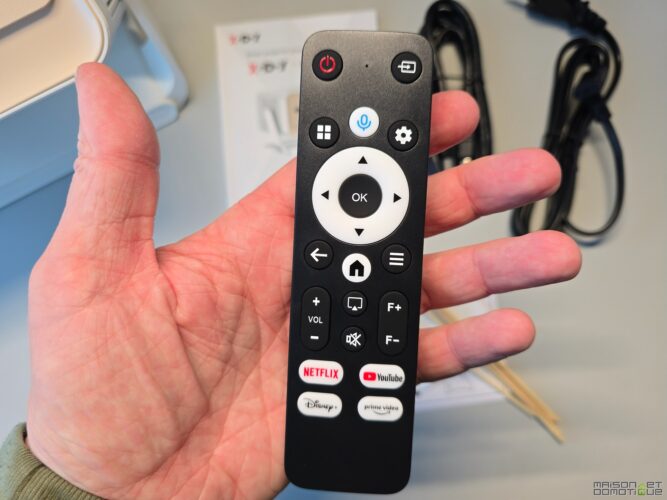
The integrated mic allows for the use of voice commands, a rare asset in this price range (where even some more expensive models stick to basic infrared navigation). In practice, this function smooths the search for a movie, a series title, or system settings adjustment without leaving the couch.
Unlike some overly large or complex remotes, that of the Xgody Gimbal N6 Pro focuses on ergonomics and simplicity.
However, one will regret the absence of backlighting, which requires a bit of dexterity during nighttime sessions, and the omission of batteries (standard AAA format) which requires preparation before enjoying the projector.
Image Quality of the Xgody Gimbal N6 Pro: 1080p Definition and Performance in Real Conditions
In terms of image quality, the Xgody N6 Pro plays on its Full HD range accompanied by LCD technology and a LED light source. The projected image pleasantly surprises on sizes up to 120 or even 150 inches, provided to plunge the room into darkness or choose for very limited ambient brightness.
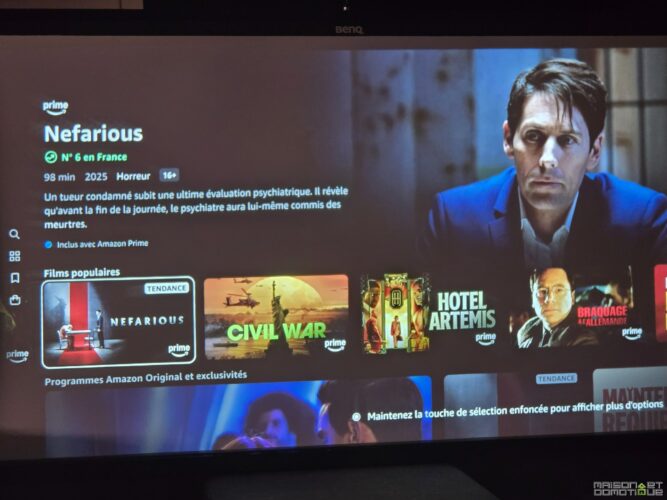
The central focus precision is frankly satisfactory for watching series or movies while streaming: every detail pops correctly in the sharp area. However, peripheral reflections quickly appear at the edges of the screen, while the cold colorimetry hampers the depth of blacks. The colors become punchier but lose all subtlety due to low contrast.
| Parameter | Observation during test |
|---|---|
| Definition | Full HD (1080p), well-represented details in the center |
| Real brightness | About 700 ANSI lumens: sufficient only in darkness |
| Reflection handling | Presence of halos at edges depending on the wall |
| Perceived contrast | Satisfactory on animated films, limited on dark scenes |
| Motion compensation | Absent, visible jerks on sports content |
Impact of Low Light and Reflections on Projection
One point to closely monitor during this test is the actual brightness of the Xgody N6 Pro. The announced 700 ANSI lumens, although they appear on the field (in “highlight” mode), remain clearly insufficient for daytime projections or in well-lit rooms. As soon as the sun sets, the model reveals its potential with a readable image, but beware of parasitic light sources that wash out the colors and reduce contrast, making the blacks appear “grayish”.
- Perfectly dark room = optimal experience on films and series, even on large image.
- Bright environment = image washed out and low-contrast, less pleasant to watch.
Compared to a Xgimi or a more classic BenQ, the distance remains clear, but the Xgody N6 Pro ensures the bare minimum to enjoy a Netflix movie on a winter evening, provided to accept its limits of brightness and depth.
HDR10 Compatibility on the Xgody N6 Pro: Marketing Promise or Real Added Value?
The mention HDR10 on the technical sheet of the Xgody N6 Pro is, in practice, largely marketing. This format implies a fine management of light and dark areas, as well as a faithful reproduction of color nuances. However, the low peak brightness of the projector and the approximate colorimetry limited by a restricted RGB palette drastically limit the HDR10 capability here.
In practice, streaming films or series under Netflix or Prime Video in HDR10 does not bring any real added value to this model. High contrast scenes, where HDR enhancement is crucial (explosions, sunsets, dynamic video games), almost lose all their relief.
In short, our tests showed that the HDR10 compatibility of the N6 Pro is largely symbolic: it allows marketers to feature the badge on the box but brings only a cosmetic effect often imperceptible in use.
Sound Quality of the Xgody Gimbal N6 Pro
In terms of sound, the Xgody N6 Pro does not hide its “supplementary” orientation: its two 5W stereo speakers barely fill a small 30m2 room. On a simple soundtrack, at moderate volume, the reproduction remains balanced, but as soon as the film or series demands power or dynamics, the sound becomes muddled.
Put to the test with a blockbuster, the lack of clarity during explosions or simultaneous dialogues is ear-catching, especially since the bass is almost absent. For an immersive experience, it will be essential to connect a sound bar or Bluetooth speaker.
Fan Noise: A Drawback for Quiet Viewing
A point often overlooked in tests but crucial here: the noise from the fan. To cool the LED, the Xgody Gimbal N6 Pro activates continuous ventilation that is relatively audible, especially in “standard” or “highlight” mode.
This flaw is common in entry-level projectors, but it can limit late-night usage in a shared bedroom or a shared living situation where discretion is essential.
- External speaker or headphones nearly essential to mask the operating noise.
- Constant background sound sensation, less annoying on action films, much more during calm reading or documentary sessions.
Recommended Uses for the Xgody N6 Pro: Family Cinema, Occasional Gaming, Budget Projection
Everyday experiences with the Xgody N6 Pro highlight its versatility, provided one is not too demanding regarding image quality or sound. For family movie nights, projection on a large white wall and quick access to streaming apps are more than sufficient. Testing the projector for gaming shows that the input lag is manageable for solo or casual play, but the product does not incorporate a dedicated “game mode”.
- Perfectly suitable for a game of Mario Kart among friends or a solo adventure on console, provided one accepts the imperfect response times.
- No motion compensation: trailing effects or stuttering on FPS or fast sports.
In line with this test, the Xgody N6 Pro is not intended to replace a true home cinema or a television. However, it will be the ideal companion to discover the “big image” effects on a controlled budget, for an audience not too demanding in terms of visual fidelity or sound performance.
| Optimal Use | Warning |
|---|---|
| Family cinema, evenings with friends | Requires complete darkness |
| Occasional gaming | Not suitable for competitive pro gaming |
| Streaming, vacation videos | Not a substitute for a good-quality television |
Compared to a Xgimi Horizon or a more conventional Epson, the gap is obvious: no “game mode” or electronic compensation. But for the novice or for applications like Switch, family game projections, the input lag will not be a hindrance. The image quality remains stable on less demanding games.
- Suitable for auxiliary use (vacations, outdoor evenings, child’s room).
- Not recommended for e-sports or high-stakes gaming where every frame counts.
The real pleasure here comes from the friendliness and simplicity, not from technical performance.
Whale OS Software of the Xgody Gimbal N6 Pro: Simple Interface, Streaming Apps, and Voice Control
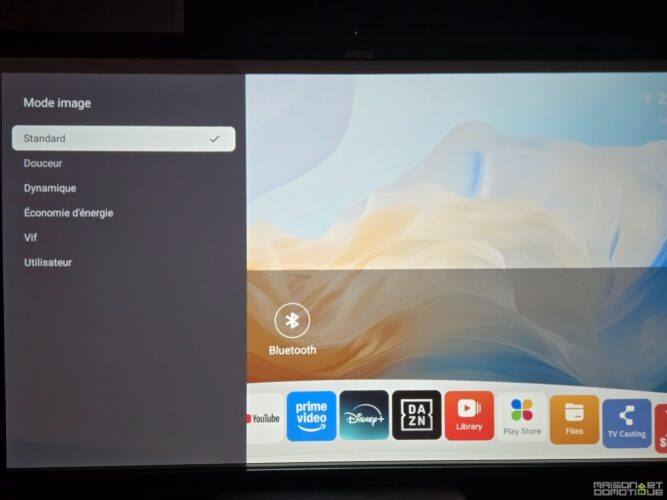
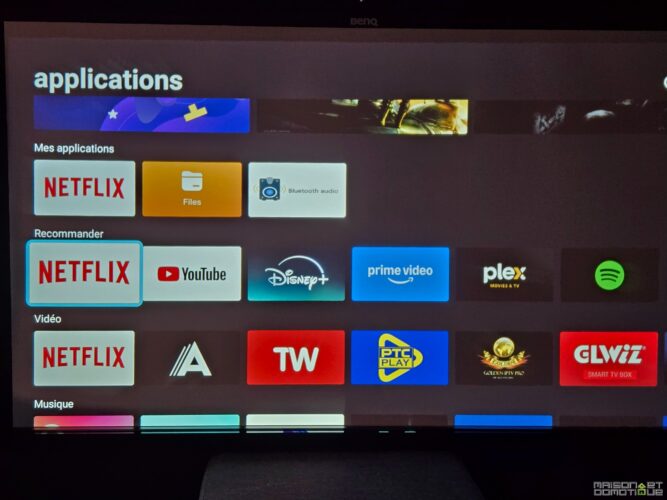
On the software side, we find a proprietary system, Whale OS, derived from Android 13, which aims to be intuitive and efficient. The graphical interface prioritizes a simple and direct display, with immediate access to key applications (true access to Netflix, Disney+, YouTube, Prime Video). Navigating through menus proves fluid, with very little latency, and control via the remote or voice works without a hitch.
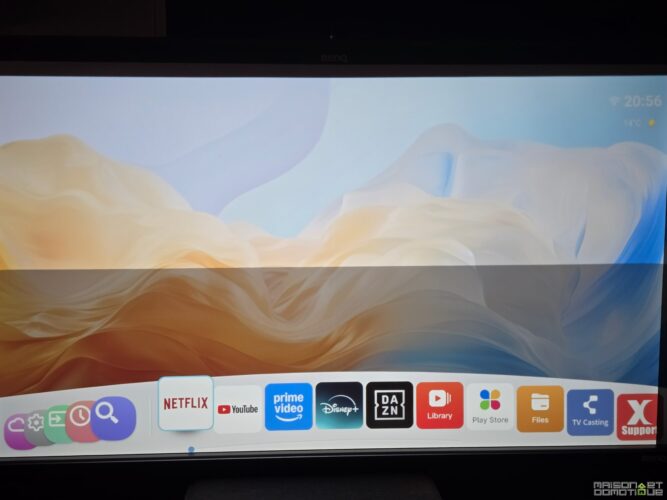
The simplicity of the system represents a major advantage for the target audience of the Xgody Gimbal N6 Pro. Novice users will not have to juggle installations or worry about compatibility: everything is preloaded and directly accessible, similar to a connected television.
| Function | User Advantage | Limit Encountered |
|---|---|---|
| Whale OS | Fluid navigation, direct access to streaming apps | Fewer advanced options than Google TV |
| Voice command | Quick content search, hands-free control | Possible bugs in noisy environments |
| Integrated Play Store | Installation of third-party apps possible | Occasionally limited compatibility depending on APKs |
Electric Consumption
The moderate electric consumption of the Xgody Gimbal N6 Pro (around 60W measured) is a strong asset for those wishing to monitor their bill or limit the ecological impact of their projection. It is significantly less energy-consuming than many larger or brighter models.
Conclusion
Ultimately, the Xgody Gimbal N6 Pro represents an attractive alternative for a novice audience or those with a limited budget. It allows discovering cinema at home without exploding finances, at the cost of marked compromises on image, sound, and brightness. The most demanding users will prefer, when their budget allows, to invest in a more expensive projector like those from Xgimi or Epson, guaranteeing a “premium” experience on all fronts.


Please remain courteous: a hello and a thank you cost nothing! We're here to exchange ideas in a constructive way. Trolls will be deleted.