


Résumer cet article :
Transforming your ordinary house into a smart home has become an accessible project for everyone. Once confined to science fiction films, home automation establishes itself in 2025 as a practical solution to optimize daily life, provide more comfort, and ensure greater security. With innovative devices, it becomes easy to control heating, lighting, or even the alarm from a mobile app, even remotely. Thus, the fear of complex installation gives way to the desire to intelligently control one’s home, while achieving substantial energy savings. To accompany this evolution, systems like Home Assistant, Jeedom, or recognized solutions such as Philips Hue or TP-Link have gained ground in the market. Relying on proven scenarios, choosing the best equipment, or even securing one’s network makes the experience reassuring for all beginners. Discover in this article how to take your first steps serenely into the exciting world of home automation.
Home automation: revolutionizing the home simply
What is home automation and why adopt it?
Home automation refers to the set of technologies that make a home smart, automatic, and centralized. It includes various devices (actuators, sensors, connected devices) that can be controlled via an application or a home automation hub.
Adopting home automation means choosing to simplify the management of one’s home. Whether it’s about automating lighting, programming the heating according to habits, or securing access, this technology offers concrete and immediate solutions to improve the comfort and safety of the occupants.
This shift from a long-term goal to everyday use is explained by the democratization of protocols (Zigbee, Z-Wave) and the ease of use provided by recognized brands (Google Home, Alexa, Xiaomi…).
- Centralized control: Manage all devices from a single interface.
- Automation of repetitive tasks: Avoid forgetting to turn off the light or programming the heating.
- Ease of installation: Most equipment can be installed in a few minutes without specific tools.
In summary, home automation has successfully transcended its futuristic image to become ingrained in daily use, thus improving the management and security of households, regardless of their size or configuration.
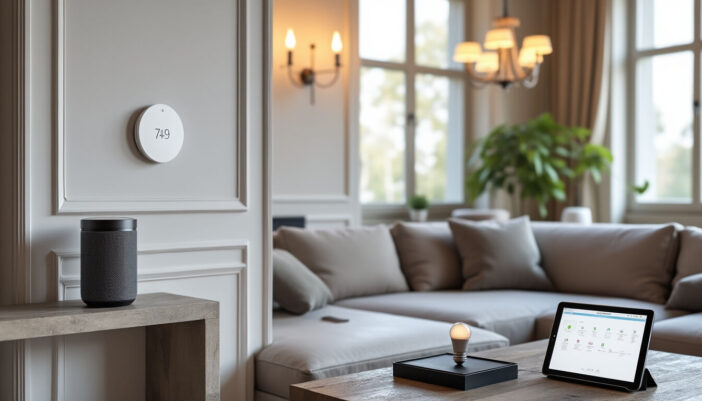
The main advantages of a connected home
A connected home stands out first for its increased comfort. Adjusting the lighting, monitoring the cameras, or controlling the shutters becomes child’s play thanks to intuitive mobile applications and voice assistants like Alexa or Google Home. The most repetitive tasks are taken care of automatically, thus freeing up more time for personal activities or family.
The safety of the home is enhanced with motion sensors, opening detection devices, or the ability to be alerted on a smartphone in case of intrusion. Regarding energy savings, home automation allows adapting the heating operation to presence hours, precisely adjusting lighting, or remotely controlling the consumption of devices.
| Advantage | Concrete example |
|---|---|
| Automation | The lights turn off after you leave, the shutters close automatically in the evening. |
| Security | Instant notification in case of suspicious opening of a door or window. |
| Remote control | Control the heating before returning home via a smartphone app. |
| Savings | Reduction in energy bills due to the automatic shutdown of unused devices. |
In real life, a household equipped with the Netatmo system or the connected thermostat Tado° quickly sees a decrease in its consumption, while optimizing the thermal comfort and safety of its home. It is these concrete benefits that motivate most users to take the leap.
Home automation for beginners: reasons to take action
Easing daily life through home automation
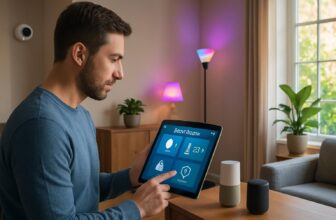
For novices, home automation is primarily synonymous with simplification. Daily routines (turning off lighting, adjusting heating, monitoring the entrance) can be automated without effort or controlled by voice thanks to assistants like Amazon Alexa or Google Home.
- Smart lighting: Create lighting atmospheres according to the time of day.
- Scheduled heating: Set the temperature room by room with a connected thermostat (Nest or Tado°).
- Automatic opening of shutters: Secure your home from sunset.
- Scenario programming: Automatically start music upon entering the living room.
Thus, home automation adjusts the operation of each device to the rhythm of your life. For example, Mrs. Dupuis, mother of two children and employee, remotely manages her lighting and heating via a mobile app from her workplace. A time-saving but also the guarantee of never forgetting a light or needlessly heating an empty room.
This simplicity also extends to the management of unforeseen events: late return, prolonged absence, or unexpected departure. In just a few clicks, everything can be adjusted live.
In the end, domestic automation proves to be an indispensable ally in daily life, making each action smoother and safer.
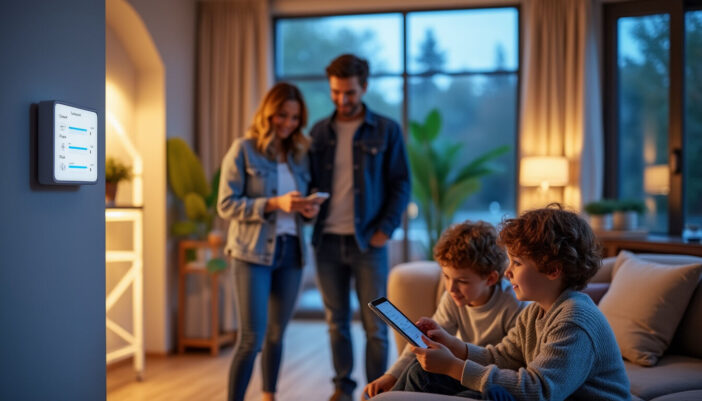
Security and energy savings: two major advantages of home automation
The question of security remains central to any smart home project. Motion sensors, connected cameras (Aqara or Xiaomi), as well as advanced alarm systems combine to protect the home and prevent intrusions or domestic incidents (smoke, water leaks). The alert arrives instantly on the user’s smartphone thanks to dedicated mobile applications.
Home automation also allows for significant energy savings. The fine management of devices, such as the automatic shutdown of the heating or adjustment of lighting, optimizes resource use. Systems like Samsung’s SmartThings or the TP-Link range stand out for their energy efficiency.
- Alerts in case of anomaly, received on smartphone.
- Energy management: analysis and cutoff of unnecessary consumption.
- Strengthening security through automation of dissuasive lighting.
- Remote management to simulate presence during absence.
| Function | Impact on security | Impact on savings |
|---|---|---|
| Motion detectors | Detect any unusual presence | Trigger lighting only when needed |
| Smart thermostats | Alert in case of abnormal temperature variation | Optimize heating |
| Connected plugs | Can remotely cut off certain devices | Avoid standby and wastage |
By prioritizing energy efficiency and security, home automation thus becomes central to contemporary concerns.
Essential equipment to get started with home automation
Choose a central and compatible home automation hub
The first step in a successful home automation project is the acquisition of a home automation hub. This nerve center orchestrates communication between all devices, regardless of their brand or function. Leading solutions such as Jeedom, Home Assistant, or even Apple HomeKit stand out for their compatibility with a multitude of protocols (Zigbee, Z-Wave, Wi-Fi…).
Choosing the right home automation hub also ensures flexibility in the evolution of the system and ease of integration of new devices (connected bulbs, actuators, shutters, etc.).
- Jeedom: very open, ideal for DIY enthusiasts.
- Home Assistant: popular for its active community and numerous integrations.
- Apple HomeKit: recommended for iOS users looking for an intuitive interface.
- Philips Hue: specialist in connected lighting, compatible with Zigbee.
Make sure to check the compatibility of the chosen home automation hub with the envisaged devices. A well-selected hub ensures an evolving and sustainable installation.
Connected bulbs, smart thermostats, and practical sensors
One of the major advantages of home automation lies in the simplicity and utility of its first devices. Connected bulbs (Philips Hue, Xiaomi) offer nearly infinite ambiance possibilities. Connected thermostats (Nest, Tado°) revolutionize heating management with smart programming.
- Presence detectors and opening sensors for security.
- Surveillance cameras (Meross or Xiaomi), easy to install.
- Connected plugs (TP-Link) to control energy consumption easily.
- Connected thermostat to manage heating room by room.
| Device | Main use | Recommended brands |
|---|---|---|
| Connected bulbs | Lighting atmospheres, automations | Philips Hue, Xiaomi |
| Smart thermostats | Automatic modulation of heating | Nest, Tado°, Netatmo |
| Sensors / detectors | Monitoring entries/exits | Xiaomi, TP-Link |
| Connected cameras | Remote viewing, alerts | Meross, Xiaomi |
These devices meet the essential criteria of beginner home automation: ease of installation, immediate utility, and potential for upgrading.
Installing voice assistants and smart plugs
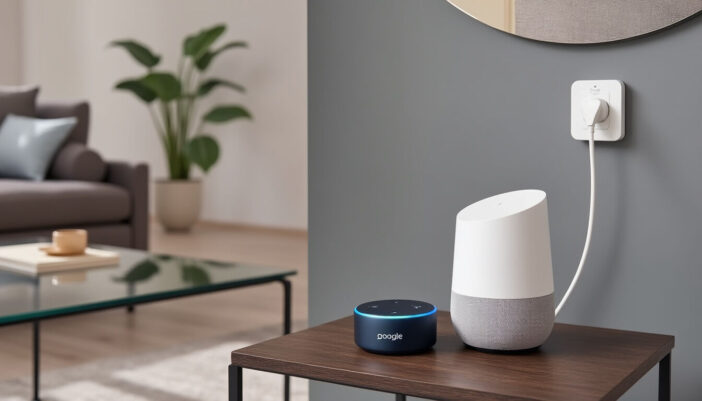
To make the home automation installation truly intuitive, it is recommended to add a voice assistant (Google Home or Alexa). With them, controlling the devices is voice-activated, whether to turn on the lighting, change the heating temperature, or check the security state of the home.
- Voice control of devices: no need to touch your smartphone.
- Wide compatibility with numerous brands, services, and applications.
- Centralized management via Google Home, Alexa, or HomeKit.
Connected plugs, on the other hand, allow traditional devices (lamp, coffee maker, space heater) to be made smart without changing all your appliances. Remotely controllable, they can be easily integrated into security or energy savings scenarios.
Using these initial tools facilitates the gradual appropriation of home automation over time, smoothly and securely.
Installing a home automation system: practical tips for success
Properly placing your home automation hub for optimal connectivity
A home automation hub should be installed in a central location, free of obstacles, and within range of the Wi-Fi network, to ensure the best possible connection with all devices. If necessary, invest in a repeater or Wi-Fi access point to optimize coverage.
- Avoid metal cabinets or basements to limit interference.
- Place the hub equidistant from strategic areas: living room, kitchen, entrance.
- Check the quality of the Wi-Fi signal with a dedicated application before finalizing the location.
This positioning contributes to the reliability of exchanges between the hub and the entire home automation system, thus avoiding control or essential data losses.
Gradually installing your devices to avoid difficulties
The key to a peaceful installation is to start small and progress step by step. There is no need to transform the entire house in one day. First, replace a few bulbs, install your first connected thermostat or a surveillance camera.
- Test each device individually to check for compatibility.
- Keep the manual for each product handy.
- Gradually create simple scenarios (automatic lighting shutdown in the evening, reduced heating during absences).
| Step | Related devices | Tip |
|---|---|---|
| Beginning | Connected bulbs/plugs | Replace equipment one at a time |
| Middle | Thermostat, motion sensors | Conduct programming tests |
| Optimization | Cameras, alarms | Simulate absence to evaluate responsiveness |
Avoiding distraction or hastily multiplying brands will make managing your system much simpler.
Installation tip: configure cameras and voice assistants
Installing cameras in the right place is crucial for maximizing security. Orient them to cover the main access points (front door, garage, large windows) and avoid reflections that could hinder night vision. For voice assistants (Google Home, Alexa), place them in central living areas for the best possible voice control.
- Program alerts on your smartphone as soon as you install.
- Test the sensitivity of motion sensors.
- Check remote access via the associated application.
A rigorous configuration contributes to the responsiveness of the system and the reliability of remote control.
⚙ Should you call a professional? When it is recommended
Some contexts require calling in a professional: the presence of an existing alarm system, complex heating, or if the installation concerns a house with a specific structure. An expert ensures that home automation integrates seamlessly, complying with security and electrical standards.
- Connection to a boiler or heat pump: better to have certified installation.
- Updating an old electrical panel.
- Doubt about network security: request an audit by a specialist.
However, most standard equipment (bulbs, connected plugs, sensors) remains accessible for a DIY installation with minimal precautions.
Optimizing the security and performance of your home automation setup
Securing your home Wi-Fi network against intrusions
The nerve center of modern home automation is the robustness of the home’s Wi-Fi network. An unprotected network constitutes a major vulnerability: hacking, taking control of devices, violating privacy… Several essential measures include:
- Choose a complex Wi-Fi password and change it regularly.
- Segment the network: isolate the home automation system from other domestic applications.
- Activate WPA3 encryption.
- Limit access to trusted users only.
Implementing these best practices effectively protects all data transmitted by home automation, while ensuring the reliability of devices and the privacy of occupants.
Checking equipment compatibility and performing updates
Imperfect compatibility between home automation devices can lead to malfunctions or even security vulnerabilities. Before any purchase, ensure that the equipment works with your home automation hub and existing protocols (Zigbee, Z-Wave, Wi-Fi…).
- Refer to official lists from manufacturers like Philips, Xiaomi, or Samsung.
- Regularly update the firmware of each device.
- Ensure to follow each brand’s maintenance advice.
Regular updates fix identified vulnerabilities and often add new features or optimizations.
Creating smart scenarios for custom comfort
The strength of home automation lies in creating advanced scenarios tailored to your lifestyle: automatic lighting shutdown during absence, heating the living room at 7 PM before your return, opening the shutters at sunrise. This personalized programming combines security, savings, and comfort.
- Absence scenarios: presence simulator to limit burglaries.
- Heating programming according to fixed or holiday schedules.
- Automation of lighting upon detection of nighttime movement.
Simple interfaces on Google Home or Tado° facilitate the creation of these routines, for a home that truly reflects your style.
Joining home automation communities to share tips and solutions
Forums and groups dedicated to home automation are a valuable resource for both beginners and advanced users. Joining a community (for example, the Home Assistant forums or the French-speaking home automation forum) allows for exchanging tips, solutions to common problems, and advice on new devices or applications.
- Discuss real cases: collaborative troubleshooting.
- Share installation guides or specific configurations.
- Discover new equipment suited to your budget.
This community support is a lever to advance your project while staying informed of developments in terms of security and performance.
Start small, evolve smart: building a long-term home automation project
Starting with a few essential devices to avoid getting lost
To avoid confusion, the ideal is to start with a basic home automation kit: home automation hub, two or three connected bulbs, one or two connected plugs, a motion sensor, and a voice assistant (Google Home, Alexa). This method, illustrated by the experience of the Leclerc family in Strasbourg, limits the risk of bugs and makes the learning curve gradual.
- Bulbs for smart lighting.
- Sensor for safety.
- Connected plug for easy management of energy consumption.
| Device | Main function | Installation difficulty |
|---|---|---|
| Connected bulb | Ambiance/energy savings | Very easy |
| Connected plug | Control electrical devices | Easy |
| Motion sensor | Security/automation | Easy |
| Voice assistant (Google Home) | Centralized voice control | Very easy |
This gradual increase in complexity avoids frustration and lays the groundwork for the gradual addition of more equipment, depending on your needs or budget.
Focusing on brand consistency for simplified integration
The proliferation of brands can complicate the management of home automation. For a sustainable project, prioritize consistency: stick, as much as possible, to an ecosystem like Google Home, Amazon (Alexa), Apple HomeKit, or to brands that guarantee wide interoperability (Philips Hue, TP-Link).
- Facilitates synchronization of applications and scenarios.
- Saves time during configuration or updates.
- Reduces risks of incompatibility and bugs.
This strategy allowed the Tech-Hub company in Lyon to develop a flawless home automation system for its premises: all devices are compatible, management is fluid, and security remains optimal thanks to centralized maintenance.
<!– wp:rank-math/faq-block {"questions":[{"id":"faq-question-1758559162088","title":"Is home automation suitable for all houses?","content":"Yes, home automation adapts to all types of housing. Whether it is an old apartment, a new house, or even a small rental, modern wireless devices require little work. It is enough to have a good Wi-Fi network and choose compatible equipment.”,”visible”:true},{“id”:”faq-question-1758559173552″,”title”:”How to ensure the security of personal data?”,”content”:”It is essential to strengthen the security of your network (complex password, WPA3 encryption, regular updates) and to limit authorized users. Check the privacy settings on each application and avoid exposing your credentials on public forums.”,”visible”:true},{“id”:”faq-question-1758559182201″,”title”:”What are common mistakes to avoid when starting?”,”content”:”Not checking the compatibility of equipment, multiplying brands from the start, and neglecting the security of the network are the most common mistakes. Prioritize a progressive installation and regular monitoring of updates.”,”visible”:true},{“id”:”faq-question-1758559191001″,”title”:”Can I control everything from my smartphone?”,”content”:”Absolutely: most modern equipment can be managed from a mobile application. Just ensure that the devices are connected to the network and properly registered in the chosen ecosystem (Alexa, Google Home, HomeKit, etc.).”,”visible”:true},{“id”:”faq-question-1758559198268″,”title”:”What budget should I plan to start in home automation?”,”content”:”It is entirely possible to build an effective kit from 150 to 300 euros by choosing priority equipment: home automation hub, a few bulbs, one or two plugs. The investment can adapt over time according to the needs and developments of the home.”,”visible”:true}]} –>
Please remain courteous: a hello and a thank you cost nothing! We're here to exchange ideas in a constructive way. Trolls will be deleted.