
Résumer cet article :
If the month of August is generally calm for many, the developers of Home Assistant have not been idle. The month of September once again brings a host of new features… and not just any! Home Assistant 2025.9 has just been deployed, and this update will clearly enhance the experience for smart home enthusiasts. We are talking about concrete changes in the automation editor, a brand new “Home dashboard,” and much better thought-out cards.
We are therefore not talking about a few minor adjustments. No, the update hits hard, and the result should please both seasoned users and those just discovering Home Assistant.
A much more pleasant automation editor
Have you spent time in the automation editor? In previous versions, when you clicked on an element (trigger, condition, action…), everything opened up right in the middle of your screen. Result: it was easy to lose sight of the entire automation. Well, that’s over!
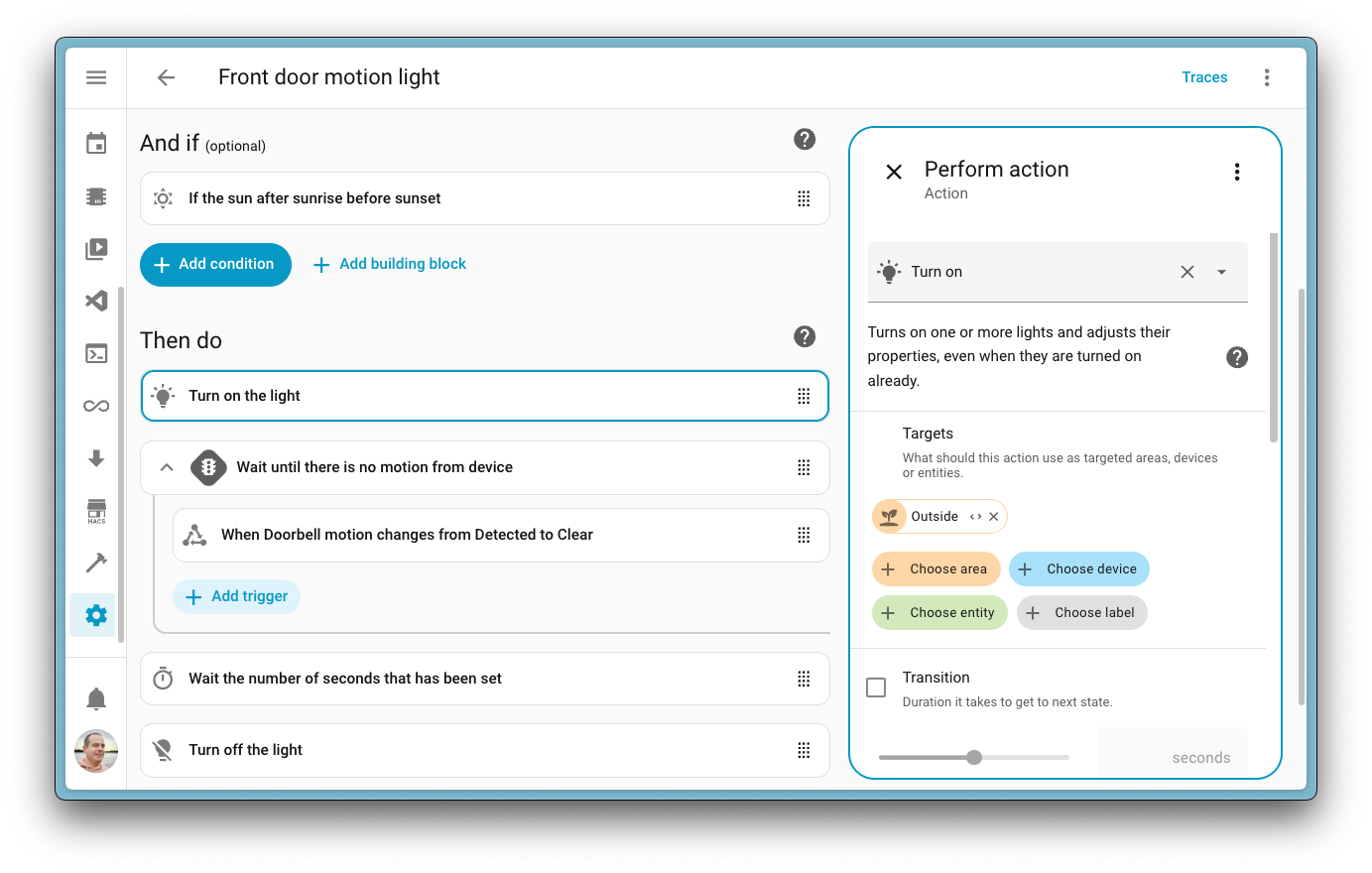
With Home Assistant 2025.9, the developers introduce a dedicated sidebar. Now, the automation remains visible on the left while adjusting its behavior on the right. A truly practical evolution that makes scenario creation much smoother. On smartphones, it adapts too: instead of the sidebar, a sliding panel appears at the bottom of the screen (and yes, it is resizable).
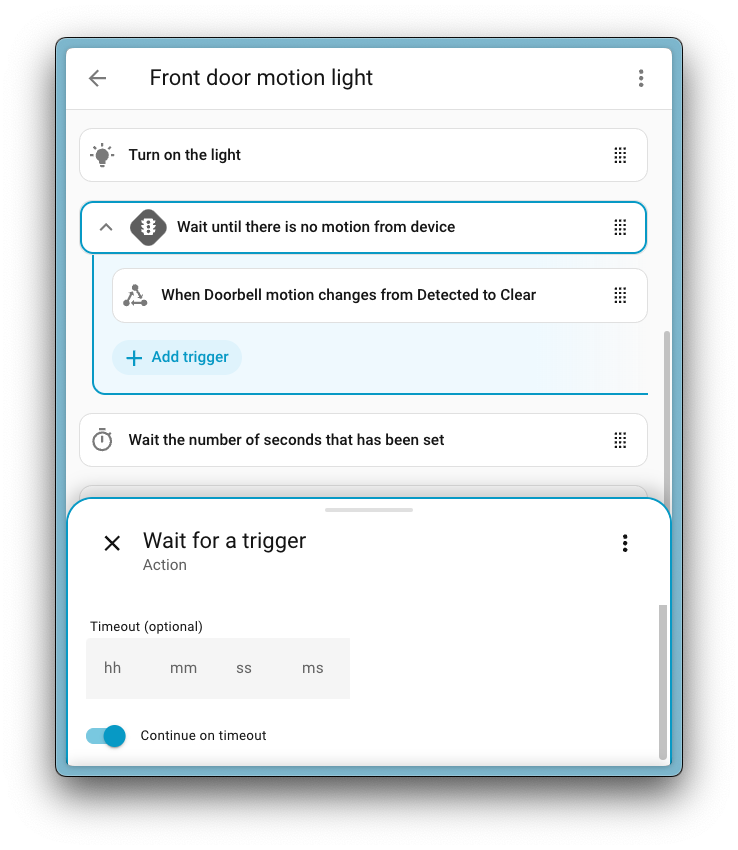
Imagine you create an automation to turn on the heating only if the temperature drops below 19°C and someone is present in the house. You can now maintain an overview while adjusting the temperature condition. Result: fewer errors, and especially a very enjoyable editing comfort.
Bonus: drag-and-drop is now available on mobile! Convenient for reorganizing actions from your couch with your smartphone in hand.
The Home dashboard: a new way to control your home
This is probably the biggest innovation of this update: the new “Home dashboard”.
Are you tired of switching from one dashboard to another to manage your lights, monitor the weather, or keep an eye on your electrical consumption? The “Home dashboard” aims to be a single entry point, designed for both novice users and professionals who already have a massive setup.
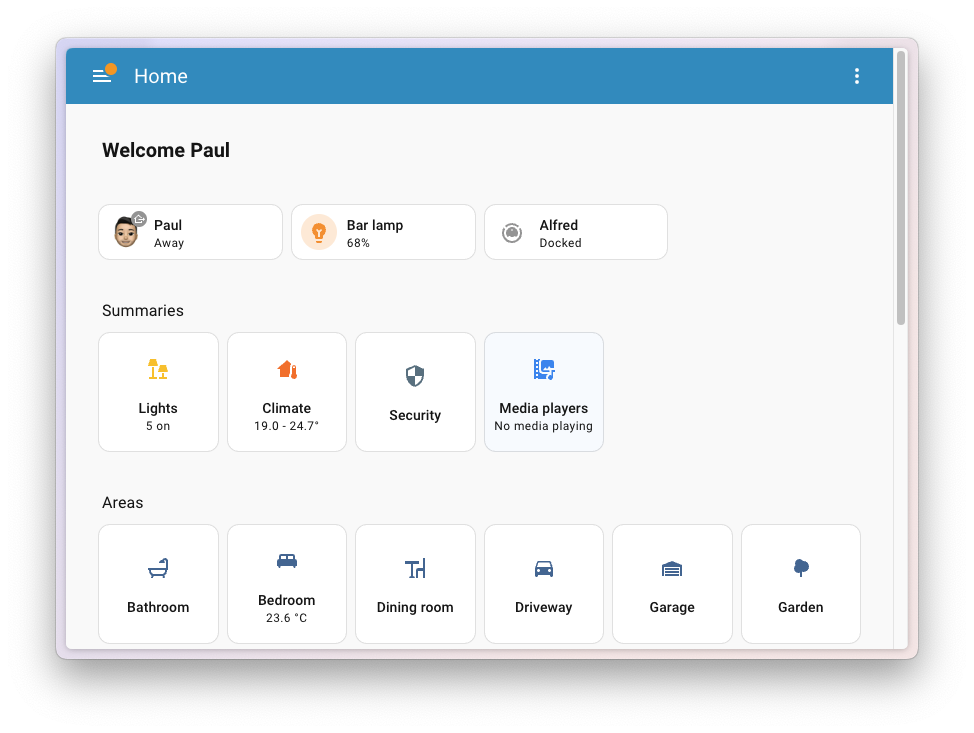
In practice, it personalizes and adapts to your usage. At a glance, you have a global view: lighting, heating, security, multimedia. You can even navigate by room to quickly see and act on everything contained within it.
A detail that I really like: Favorites. You can pin a device or data at the top of the dashboard. Typically, if you always want to see the temperature of the bathroom, the status of the front door, and the battery level of your robot vacuum, this information will be instantly accessible.
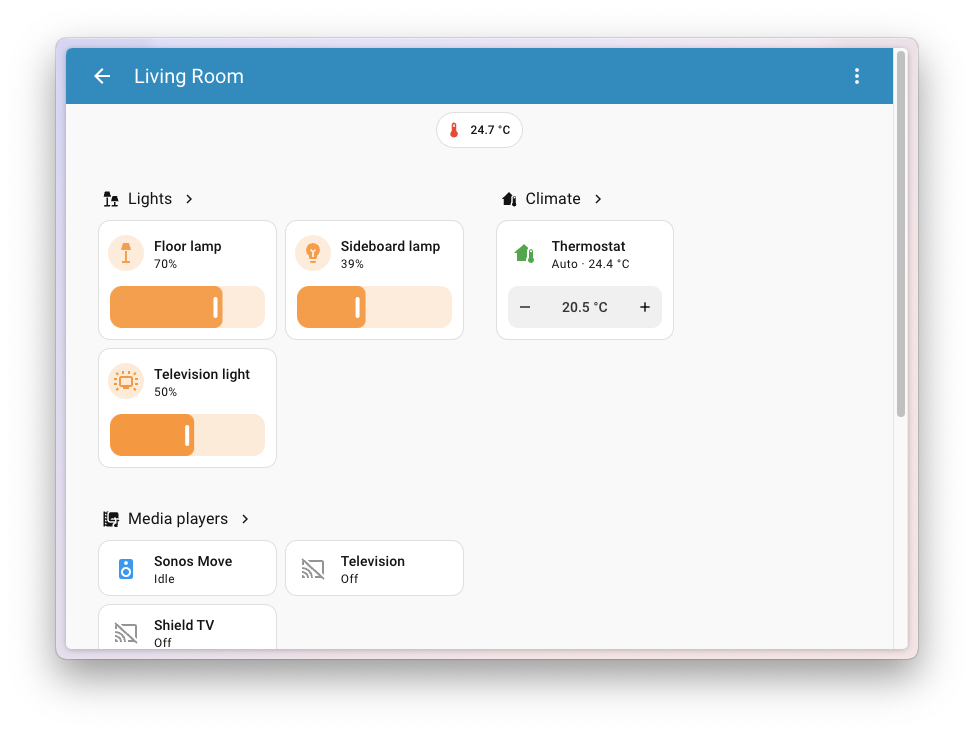
For now, it is an experimental feature, so it must be manually activated via the settings. But you can sense that the developers want to make it the new official home page eventually. And frankly, it has a lot of potential. Imagine a future where the Home dashboard directly suggests your next automations (“What if you scheduled this desk lamp to turn off when you start Netflix?”). We shouldn’t be too far off.
The cards are becoming smart and practical
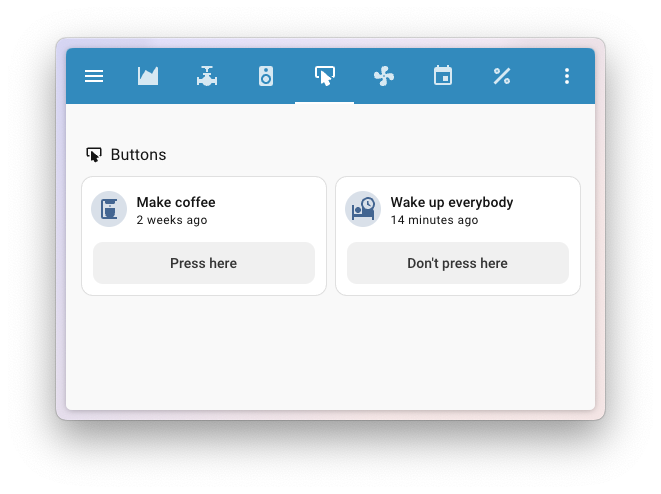
The cards are the building blocks of your dashboards. And this version 2025.9 gives them a good dose of vitamins.
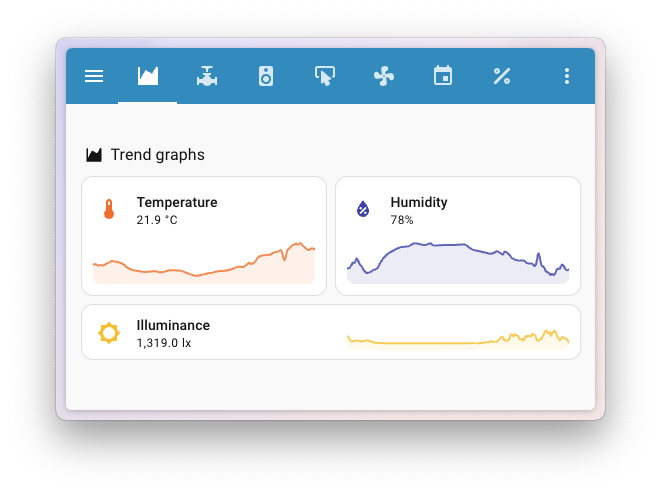
The star of the moment is the trend graph directly integrated into the tiles. Imagine a card for the indoor temperature that, in addition to displaying the current value, plots a curve of the last 24 hours. It’s simple, but incredibly practical. You have the history in front of you, without changing views or opening additional tabs.
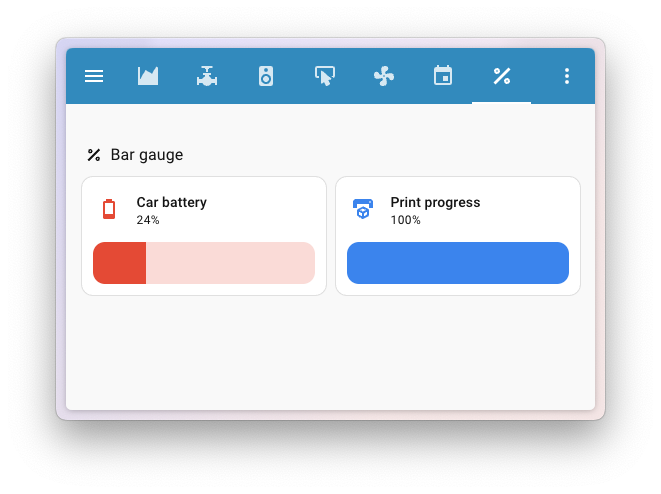
Do you like monitoring your batteries? The new gauge bar clearly displays the state of a sensor at a glance. You can immediately sense if a ZigBee probe is starting to weaken.
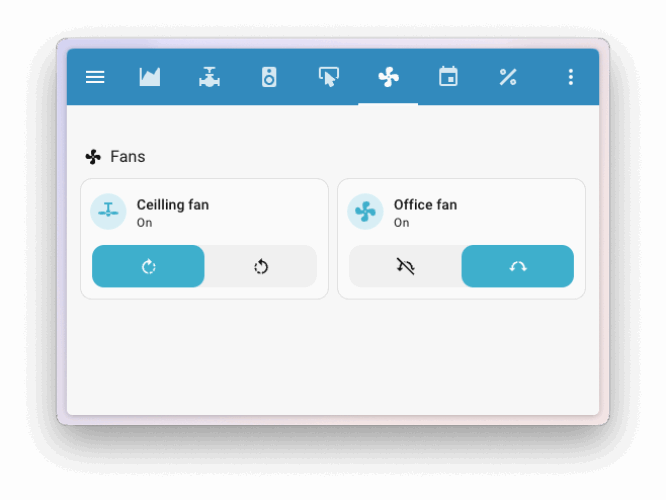
Other nice additions: advanced controls for fans (direction, oscillation, speed), for water valves (open/close, position), and even for date selection in certain automations. Small details, but that change a lot in everyday life.
New integrations and improvements
As with each update, the strength of Home Assistant is also its ultra-active community that enriches the list of compatible devices.
This month, we welcome, for example:
- Aladdin Connect to manage your connected garage doors
- SEKO PoolDose for automatic pool water treatment
- Sleep as Android, which allows triggering scenarios based on your sleep cycles (imagine your shutters opening right when the alarm goes off)
- And for Sunday barbecues, an integration allows you to monitor your meat cooking with ToGrill Bluetooth thermometers (yes, smart home tech can also save an overcooked steak…).
On the updates side, I particularly noted the integration Reolink which gains doorbell volume settings, UniFi which offers individual control of network ports (admins will love this), and Tesla via Teslemetry which adds preconditioning and charging management actions.
And for quality enthusiasts, two integrations even reach the “platinum” level: NUT (Network UPS Tools) and Uptime Kuma. A mark of solid reliability.
And also… welcome improvements
The rest of the update is not lacking in small gems. We can mention:
- New voice intents to directly control fan speed or media player volume, handy when you control everything by voice.
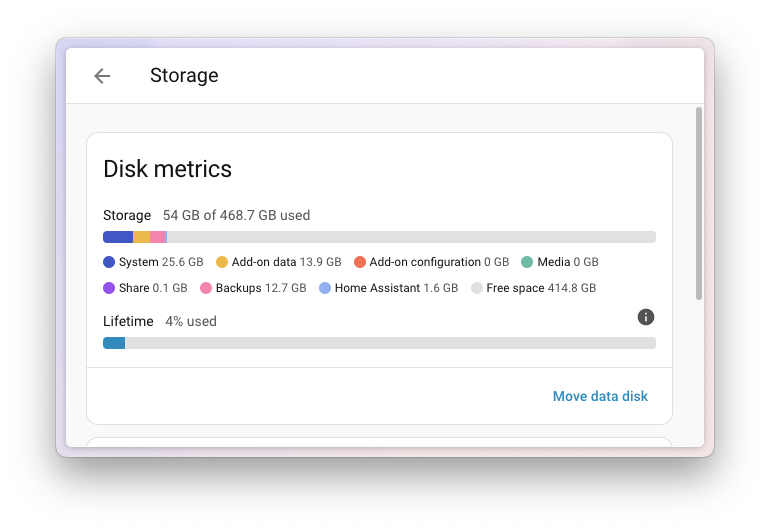
- Storage indicators to know where your gigabytes are going, with the possibility to see the space used by each component. No more unpleasant surprises of full disks.
- A better management of µ units (micro) to avoid inconsistencies when data goes to InfluxDB or other tracking databases.
What to remember about Home Assistant 2025.9
Whether you are a passionate person who already controls every light bulb, or a somewhat curious user who just wants to avoid forgetting the garage light, this update is for you. Clearer, more pleasant, and above all more powerful, it brings Home Assistant closer to its goal: to be the essential tool for orchestrating the entire connected home.
And honestly, with the new dashboard, smart cards, and revamped automation editor, it’s hard not to say: can’t wait for the next one! As usual, be sure to back up your system with the update.
Find all the new features on the official site.