


It has now been a few years since I’ve been working on a 42″ screen. A 4K TV, in fact, that I use as a computer monitor, and that I wouldn’t change for anything in the world. However, back then, I had to make my own 42″ screen mount to be able to attach it to the desk and ensure that the screen moves with it during its movements (motorized sit-stand desk). And good news: I took advantage of replacing my desk with the excellent Secret Lab Magnus Pro to equip myself with the screen mount from the same brand, which not only supports my display but also allows me to adjust it as I see fit, while ensuring a perfect cable management. Let’s discover it in more detail.
Unboxing the Secret Lab Articulated Arm
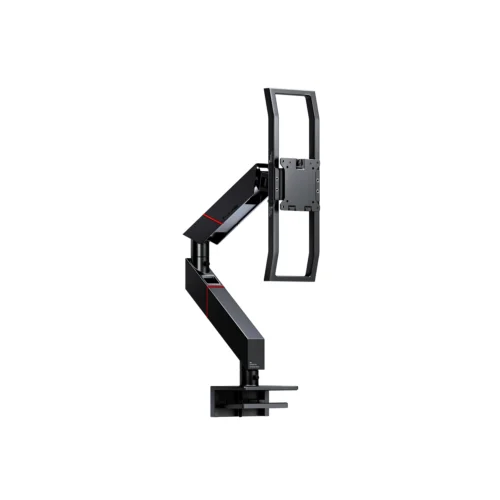
Secret Lab offers several models of articulated arms for its desk, depending on whether you want to position one, two, or even four screens. Here I opted for the articulated arm for ultra-wide screens, capable of supporting up to 16kg. For those who know, it even supports the gigantic Samsung Odyssey Neo G9 at 57″, that’s saying something!
As always, the Secret Lab packaging is of excellent quality.
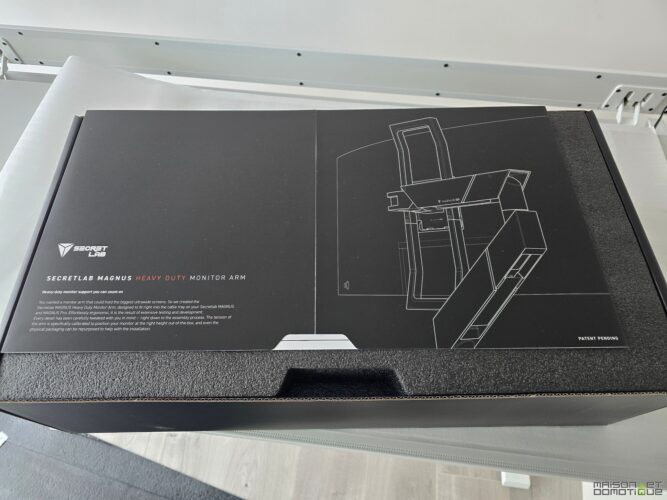
All parts are carefully packaged and stored:
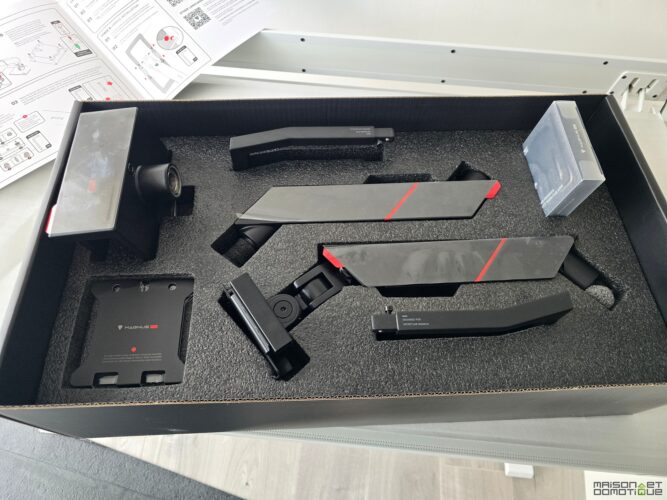
Inside, we find the two articulated arms, the mount for the desk, the VESA plate for the screen, two handles, and a small tool kit (screwdriver and screws). No need for anything else, everything is provided!
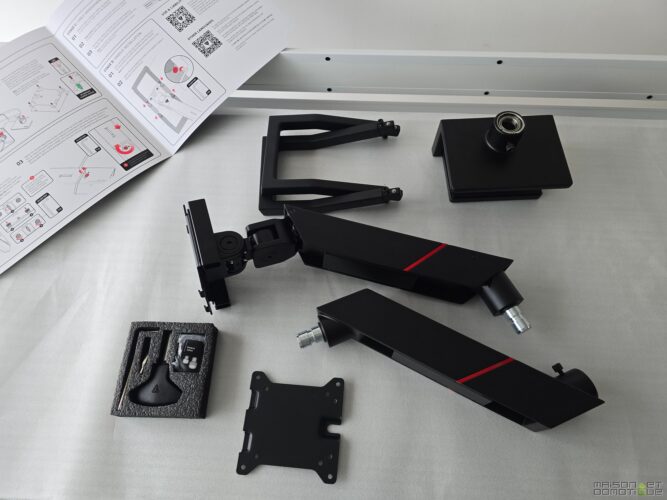
We have a set here that exudes quality, made of aluminum, perfectly finished.
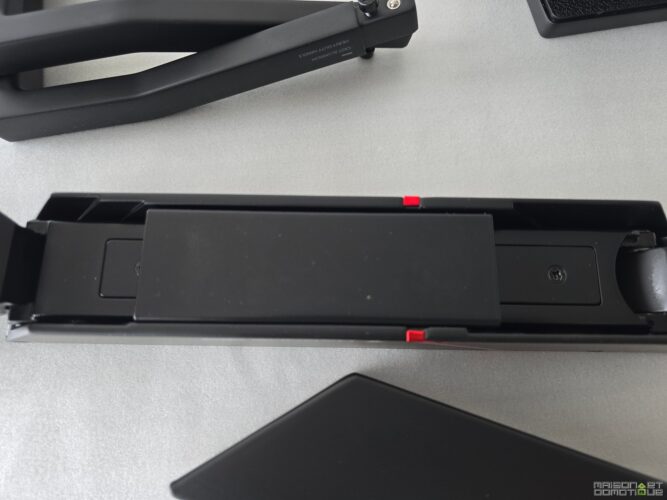
The manufacturer being very attentive to this aspect, the Secret Lab articulated arm indeed features cable management. These are made of a magnetic cover:
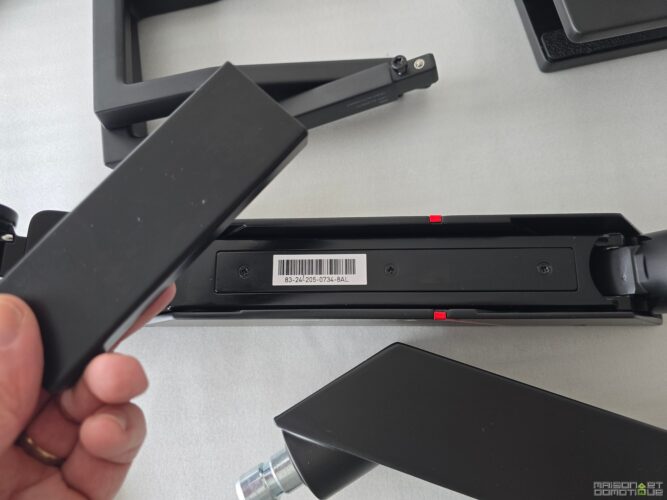
Simply pass the cables inside, then “stick” it to the articulated arm. The magnetic side will keep everything perfectly in place.
Now let’s move on to the installation.
Installation of the Secret Lab Articulated Arm
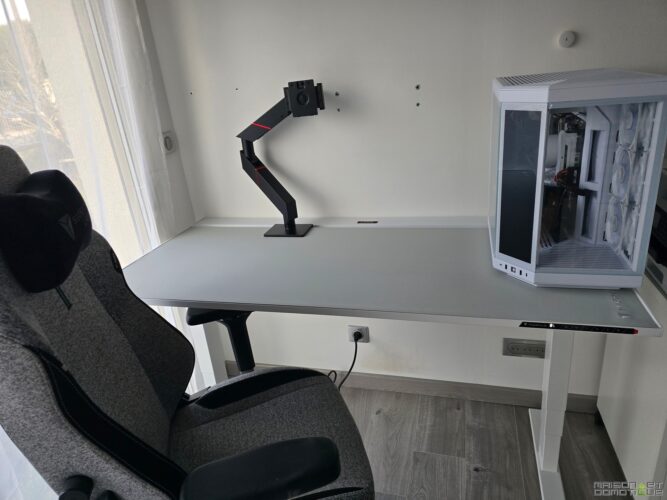
This articulated arm is specially designed for the Secret Lab Magnus Pro desk, which we discovered a few weeks ago. The mount is indeed designed to fit into the opening of the cable management tray, and functions perfectly with the rotating lid at the back.
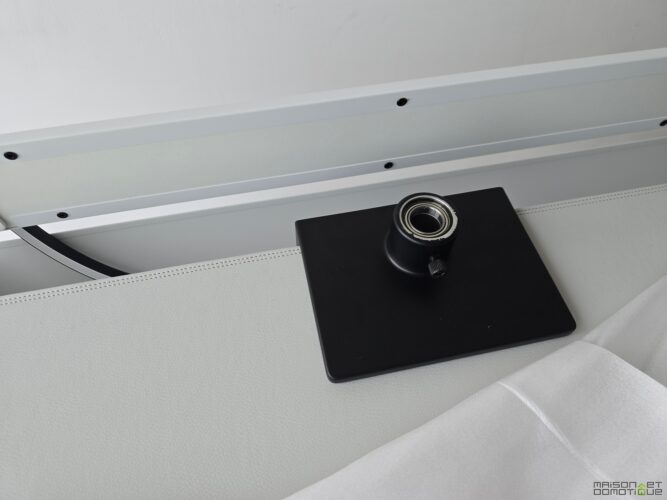
The clamp system accommodates from 10 to 50mm, allowing it to be fixed on many thicknesses of desktop. Conveniently, the tightening of the clamp is done by a screw located on top. No need to twist under the desk!
You just need to calculate where to position it based on the screen size. In my case, this plate is slightly off-center to the left, for example. But with the retraction of the articulated arms, it allows for my screen to be centered relative to my work position.
All that’s left is to fit the two parts of the articulated arm together, tightening the screw at each joint.
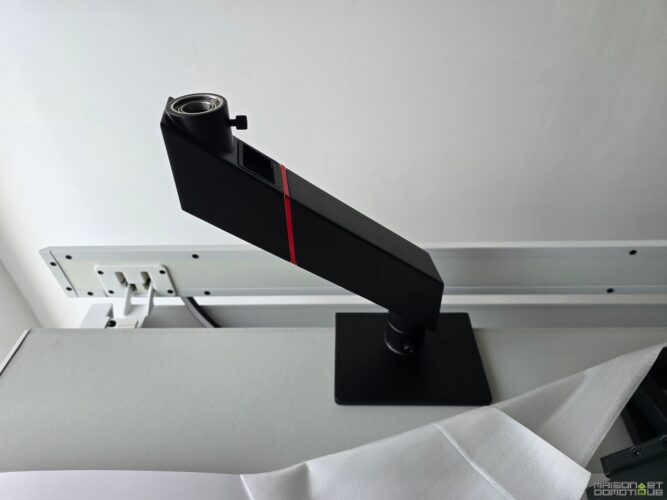
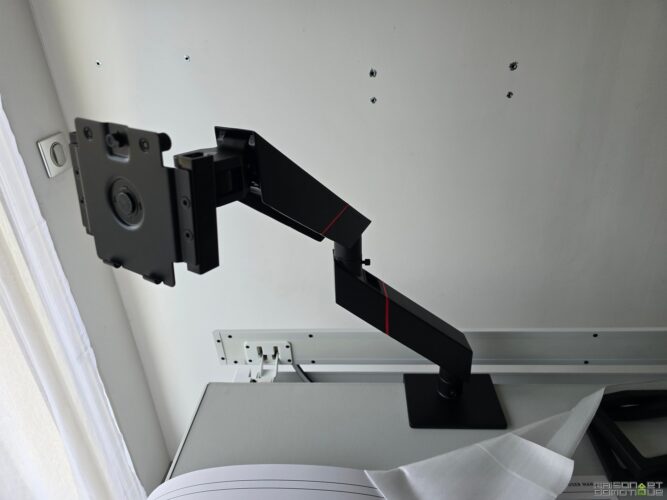
The assembly is really very simple and takes barely 5 minutes.
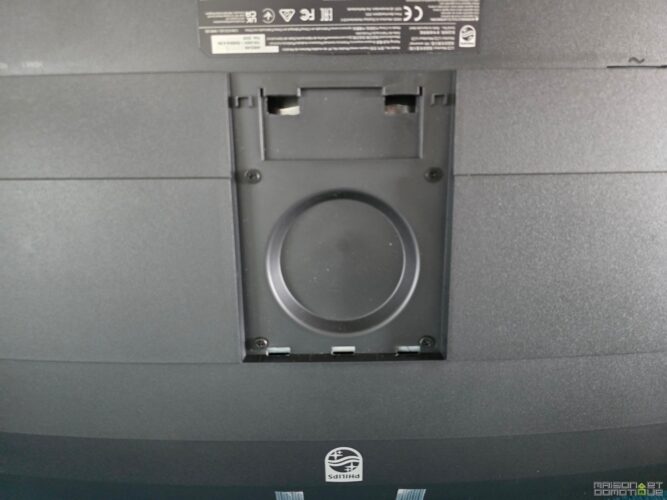
All that’s left is to position the screen. This involves attaching the small VESA plate to the back of the screen, which has the necessary mount:
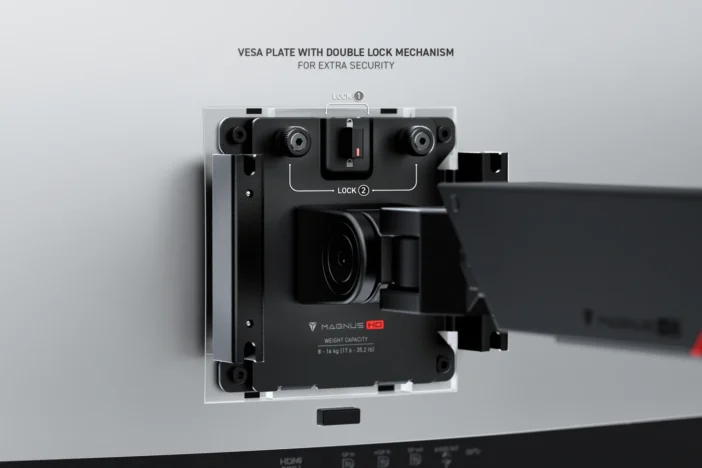
We screw the plate on with the provided screws, and then place the screen on its mount. Two screws to tighten to secure the screen, and that’s it. This plate has a double locking system, which ensures the good fixation of the screen:
Example here with an ultra-wide screen from Philips, which I will discuss in a future review:
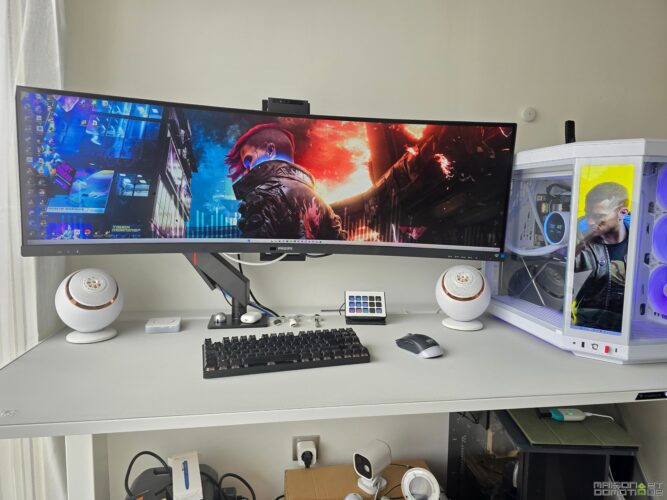
Pretty nice! The screen can be turned, lowered, or raised. Handles at the top and bottom of the articulated arm also allow for very easy maneuvering of the screen. A high-quality spring tension mechanism ensures that the screen stays exactly at the position you set it, without moving. All of this with maximum safety, even when the desk is in motion, because let’s remember, this is a motorized sit-stand desk.
Mounting a TV on a Computer Monitor Stand
This screen was unfortunately just temporary for a test. I returned to my 42″ 4K TV. And here comes a small issue: it is a TV, not a computer monitor! VESA is a standard that allows for a universal mounting pattern on all screens. But it offers several sizes. A computer monitor will generally be 75×75 or 100×100. While a TV will be more like 200×200 or more, depending on the screen size. Clearly here, the articulated arm is in 100×100, and my TV in 200×200.
Fortunately, you can easily find adapter plates for this, for about ten euros:
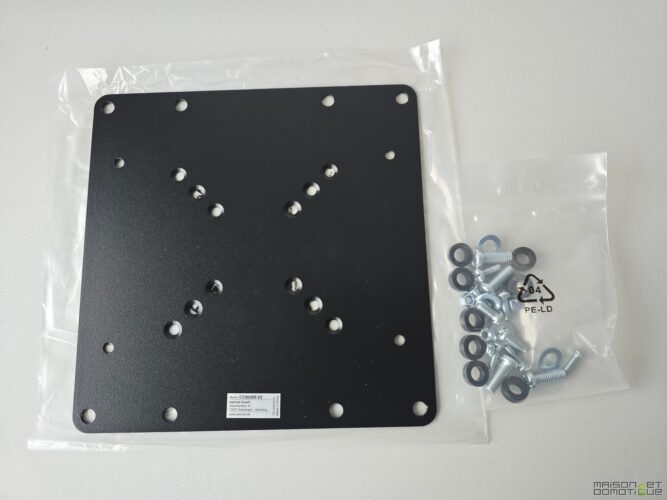
This model is particularly practical, as it offers most VESA sizes. I simply had to attach the Secret Lab plate on top:
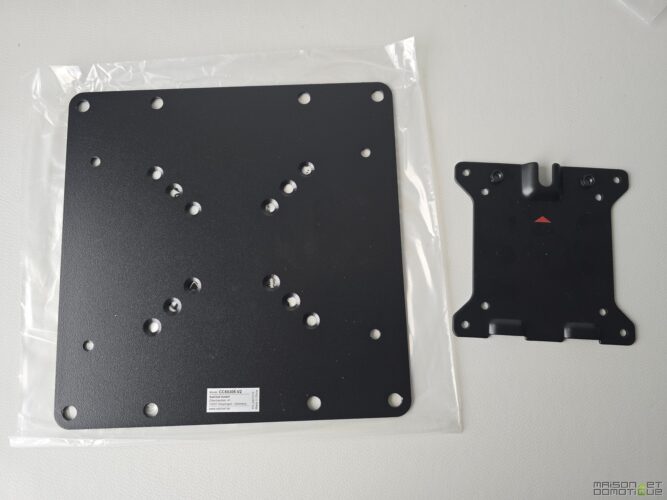
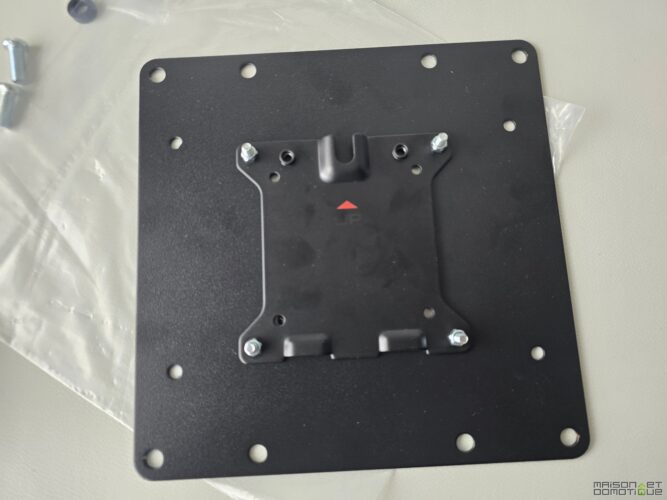
Then attach this large plate to the back of my TV.
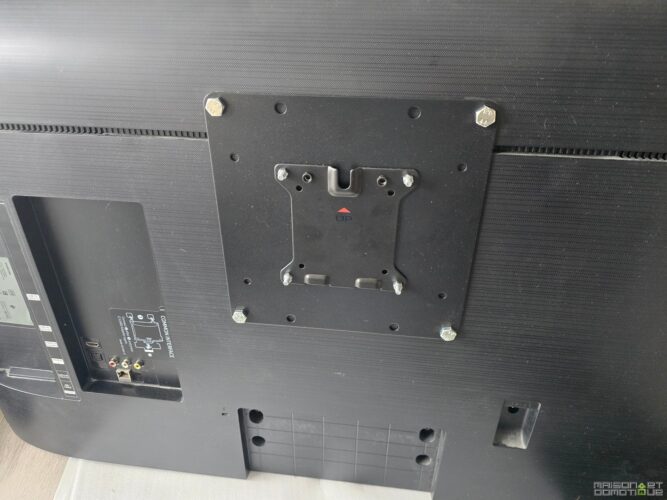
Then all that’s left is to position the TV on the articulated arm:
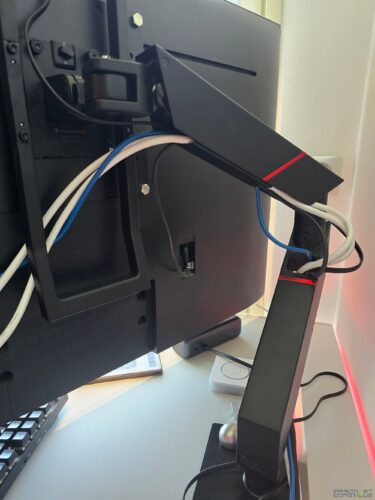
Make sure to route the cables correctly through the designated slots on the articulated arm, and that’s it.
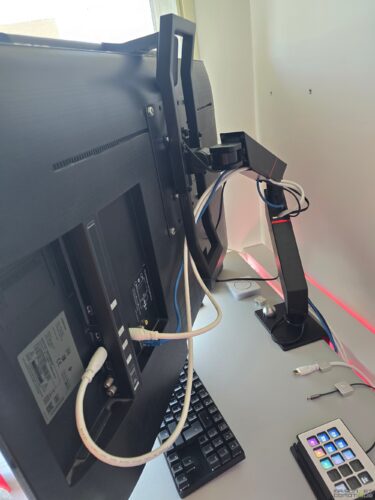
Here, the screen is connected to two HDMI outputs (to switch from one PC to another), a network cable (smart TV), and of course, the power supply. That makes a bit of cables, but it works :p
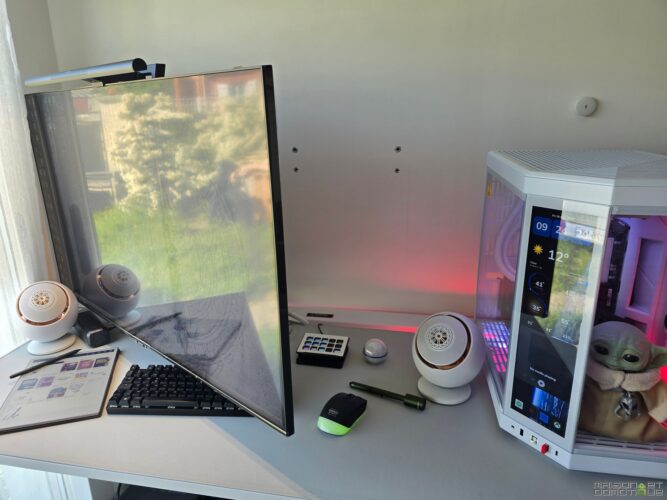
The articulated arm allows you to pivot the screen as you wish. Well, here, given the height of the screen, it’s not possible to vary its height, but the screen can pivot horizontally without issue:
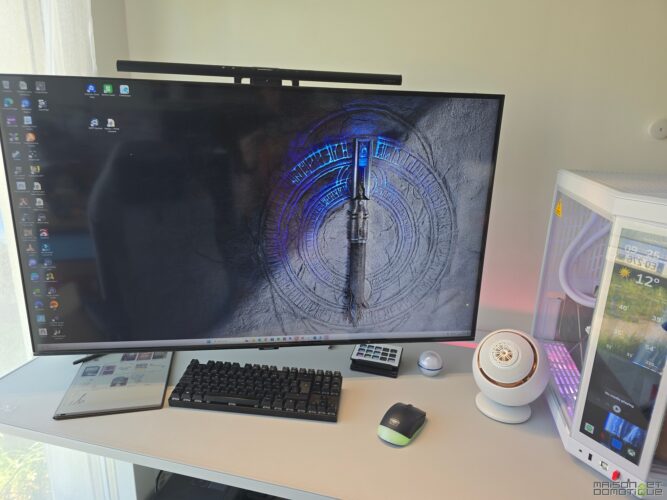
And here it is in working position:
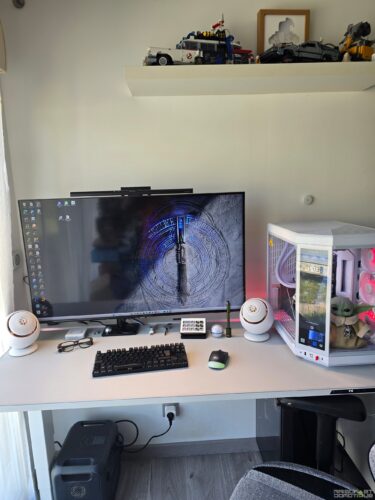
No more DIY like I did previously. Just a quick note: while this mount accepts large screen sizes, and the adapter plate can allow fixing a TV as I did here, you still need to be careful with the supported weight, which is a maximum of 16kg here. So make sure that the screen, or TV, you want to fix respects this maximum weight.
Conclusion
Despite the multitude of screen mounts available on the market, it often remains difficult to find a support suited for large screens. Secret Lab, in addition to meeting this demand, offers a quality mount that is practical and perfectly suited for its Magnus Pro motorized desk.
Well, quality has a cost, since this Secret Lab articulated arm is sold for €349. But it perfectly complements the desk setup, allowing for a mobile screen that doesn’t take up space on the desk. And that’s important for optimally organizing your workspace! The only regret? That it is not available in white to better match the white desk I chose. But then again, my screen isn’t white, and the size of the screen tends to hide the mount :p


Please remain courteous: a hello and a thank you cost nothing! We're here to exchange ideas in a constructive way. Trolls will be deleted.