


Finally, the back-to-school season is here. And for those who work from home, or even regularly telecommute, what better than a beautiful workspace to boost productivity? As we saw in some previous tests, the trend is towards sit/stand desks, which allow you to change positions throughout the day, in order to limit the sedentary aspect of administrative work. But let’s be honest: despite all the models out there, finding a desk that checks all the boxes is often a mission impossible. Until the day I came across the SecretLab Magnus Pro, a motorized sit-stand desk that promises not only to pamper your back but also to make that knot of cables we call “cable management” disappear.
Unboxing the SecretLab Magnus Pro Desk
Forget about the small, light packages that you can drop with one hand on the doormat. When the SecretLab Magnus Pro arrives, it’s a whole event! Two huge boxes (or a bit more if you splurged on some accessories) show up at your door, and it’s best to have someone help you. We’re talking about a package that weighs over 50 kg just for the tabletop, so if your desk is located on the fifth floor without an elevator, good luck!
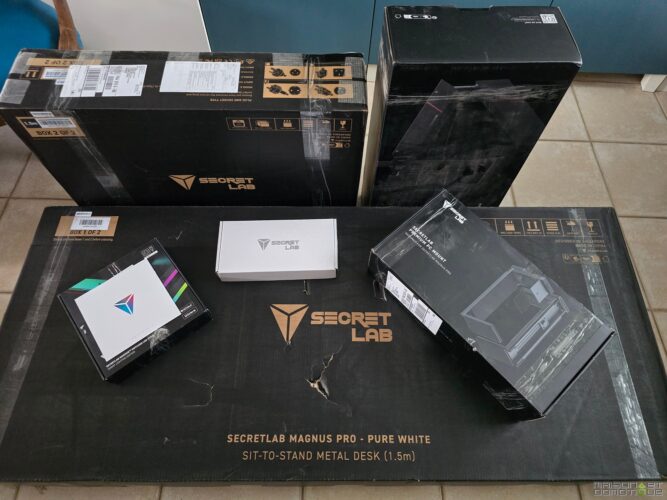
Upon opening, you immediately realize that SecretLab is serious about quality. Each element is carefully packaged, protected by foam and thick plastics.
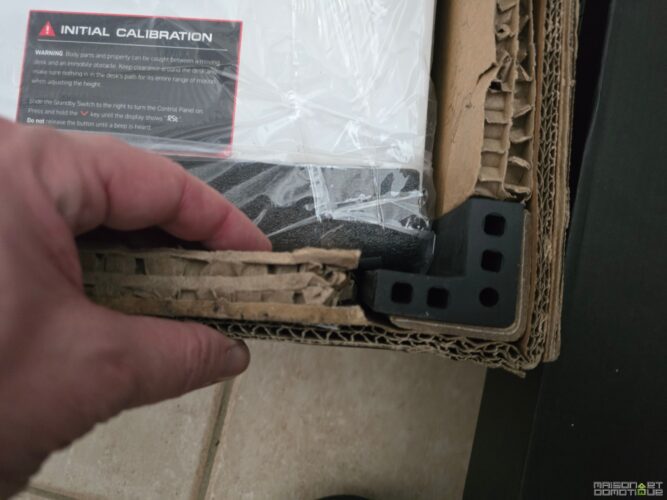
Even if the box takes a few hits during transport, everything is secured, nothing shifts, nothing is damaged.
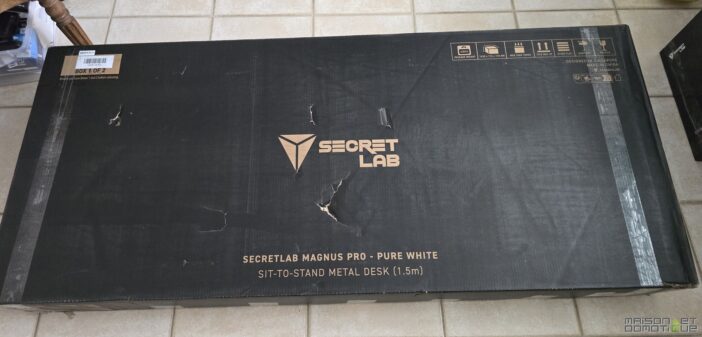
You first discover the main tabletop, massive and covered with a metal plate, which immediately sets the tone: here, there’s no skimping, it’s solid, heavy, premium.
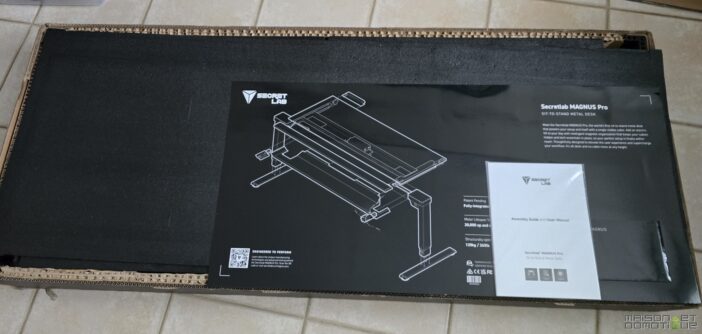
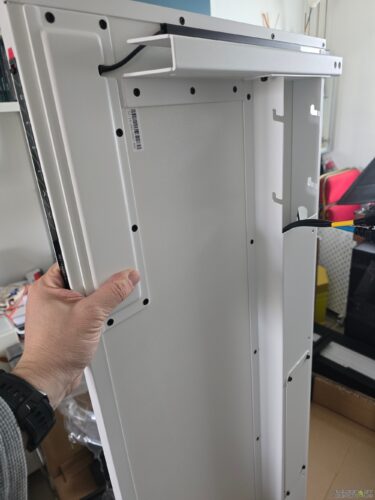
Next come the motorized legs (also metal, obviously), the power column, the cable management trough, the complete tool kit, not to mention the famous MAGPAD magnetic desk mat (optional, but honestly, who can do without it?).
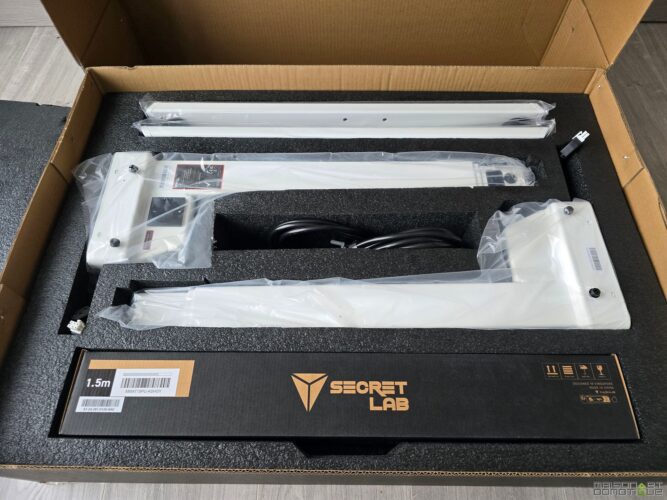
And there’s a surprise: each accessory is carefully stored in its own box or pouch.
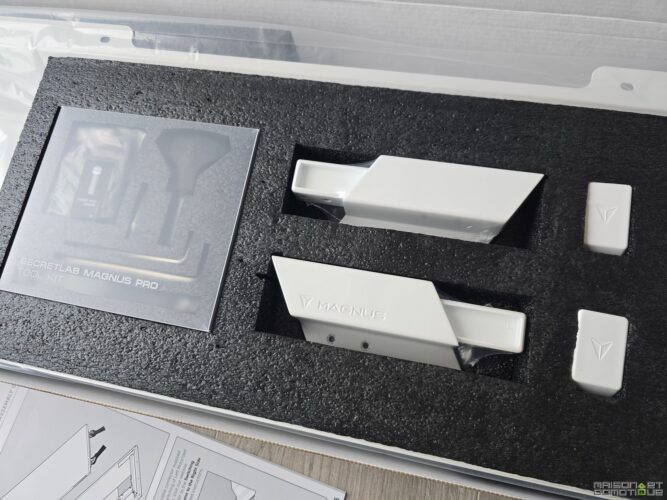
If you ordered the cable management pack, you will find magnetic covers, ties, guides to run the wires along the legs, and even small magnetic blocks to lock the cables exactly where you want them. It’s almost playful; you want to take everything out and play Tetris with the accessories!
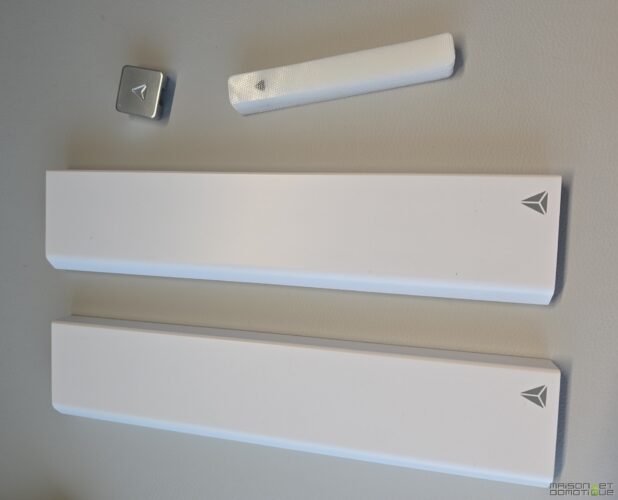
Special mention for the optional RGB light strip, which installs in a flash thanks to its magnetic system: no glue, no screws, just a satisfying “snap” and you’re good to go. For info, this LED strip is designed by Nanoleaf, who we know well here for their connected lighting solutions. So yes, our desk will also be “connected” :p
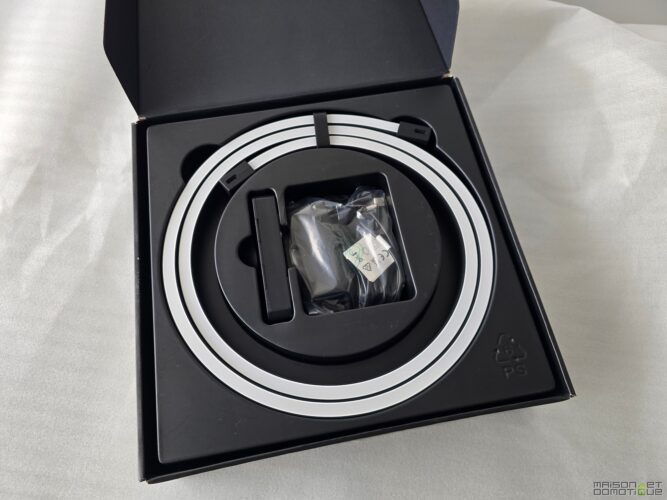
In short, unboxing the SecretLab Magnus Pro is a bit like opening a treasure chest for tech enthusiasts: each piece inspires confidence, everything is designed to last, and the promise of a high-end desk is felt from the very first moments. You can already tell that assembly is going to be an adventure, but honestly, it makes you want to get started right away.
Installing the SecretLab Magnus Pro
When you pick up the pieces of the SecretLab Magnus Pro desk, you immediately feel like you’re not dealing with standard furniture. First, it must be said, the metal tabletop is quite heavy! It’s better to have two people to handle everything without risking pinching a finger (or scratching the shiny new floor).
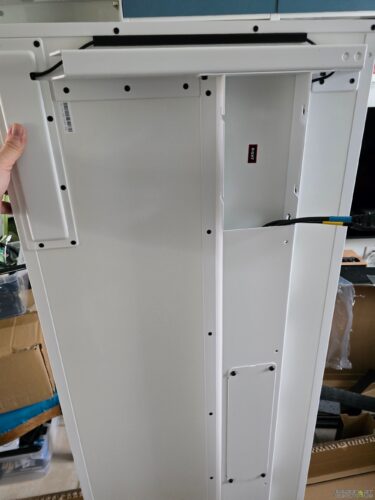
As soon as you flip the tabletop over, you discover an ingenious system of markers and labels to position the motorized legs in the right place.
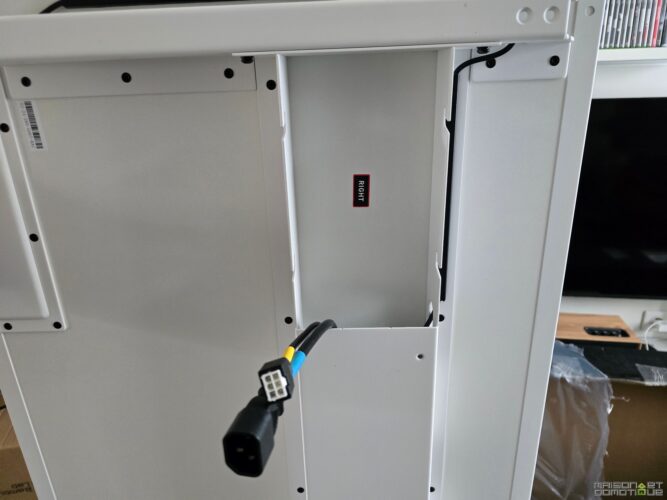
The legs are fixed with robust screws, all accompanied by a tool kit provided in the box (no need to get grandpa’s toolbox out).
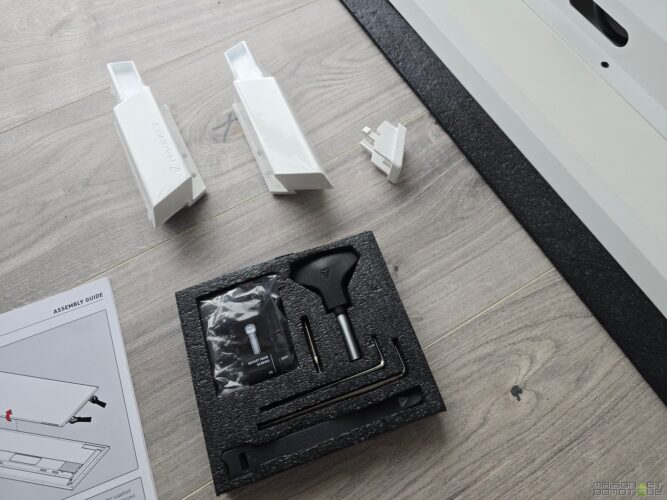
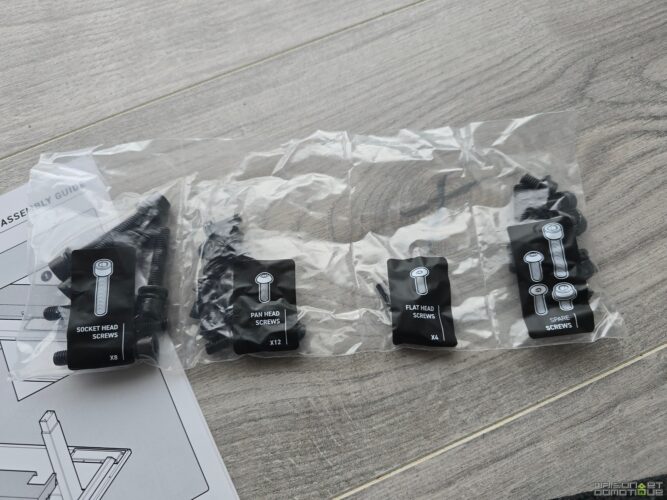
You appreciate the simplicity of the assembly: everything fits together, everything aligns, and each step is illustrated in an ultra-clear guide.
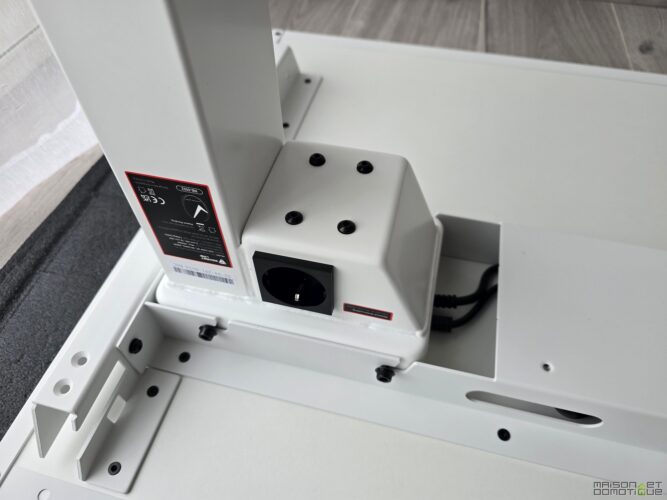
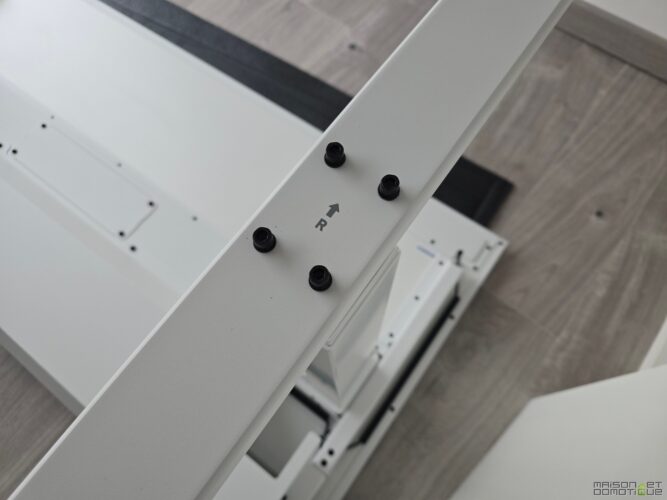
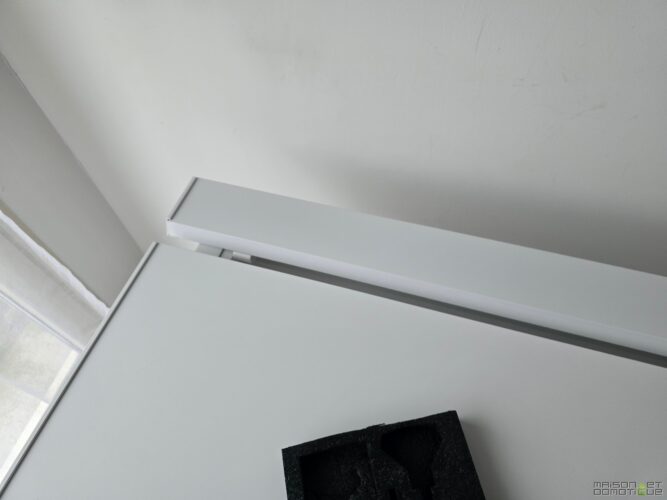
Once the legs are installed, just flip the desk back over (again, it’s better with two), and then fix the cable management trough at the back.
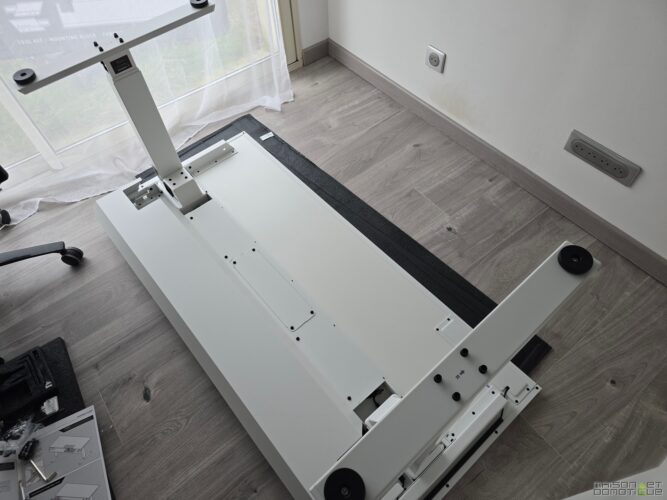
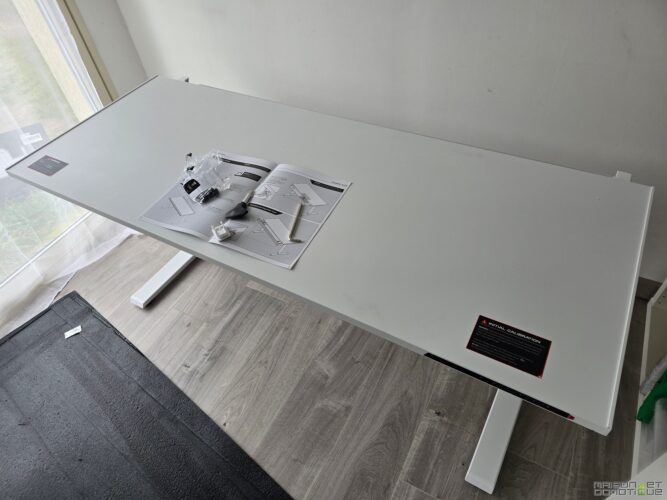
This rear cover lifts to 90°, greatly facilitating access to the power strip and all the connections you might hide there.
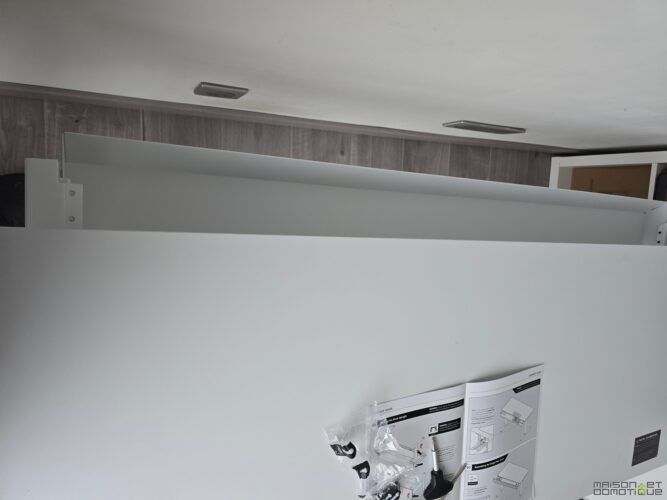
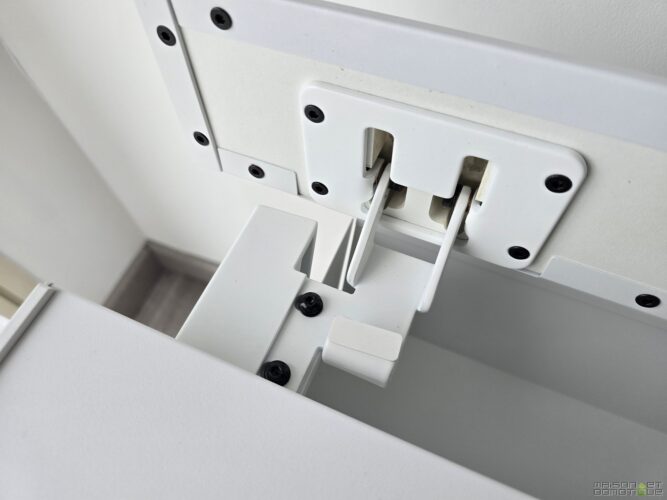
No more contortions under the desk to plug in a charger or a power strip: here, everything is designed for ergonomics and practicality.
The electrical setup is a true blessing for lovers of clean setups: the power column integrated into the left leg allows you to connect all devices directly from the desk, with a single cable that runs down to the wall socket.
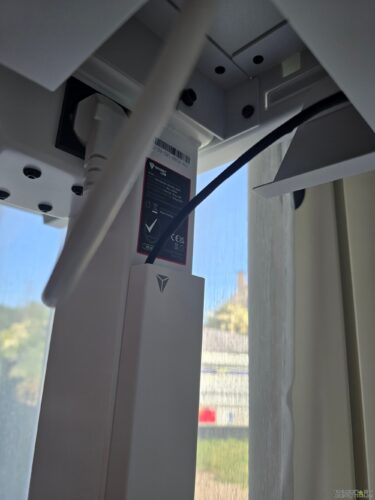
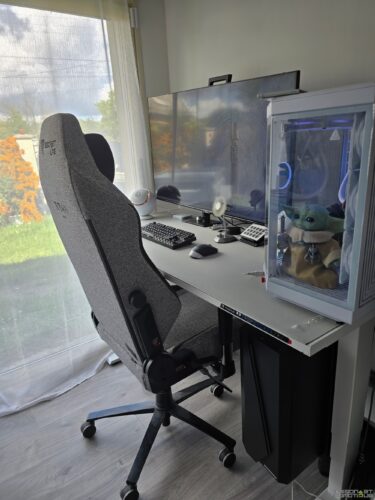
It’s simple, efficient, and it avoids the jungle of wires that usually dangle under the desk. The calibration of the motorization is done by holding the “down” button until the control panel shows “reset”: the desk goes down, comes back up, beeps, and voila, everything is ready to use. You can then program up to three saved positions, perfect for alternating between sitting and standing. Personally, I use the third position to slightly raise the desk so that the armrests of my SecretLab Titan Evo chair can fit under the desk, thus saving some space in the room when I’m not using the desk.
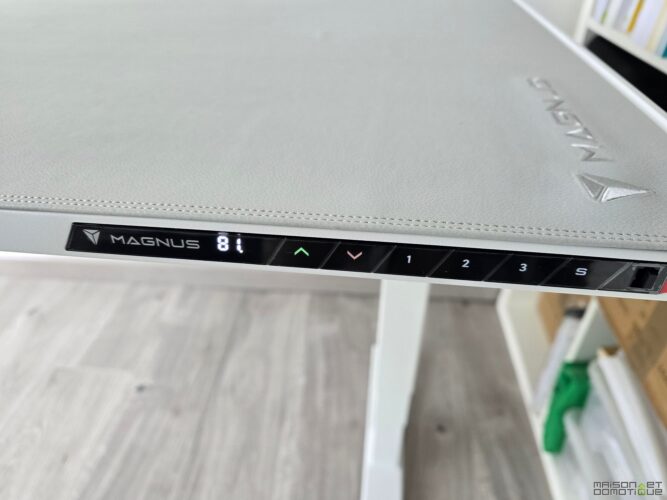
The MAGPAD, this magnetic desk mat that covers the entire surface, installs like a second skin. You need to get the hang of positioning it correctly (a bit like putting a protective film on a giant smartphone), but once in place, it doesn’t move a millimeter.
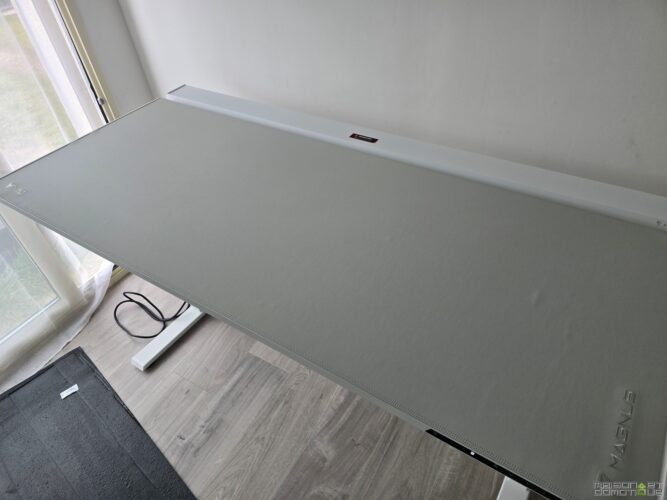
The feel is great: soft, yet solid, and above all, it protects the tabletop from scratches and coffee stains (tested and approved!).
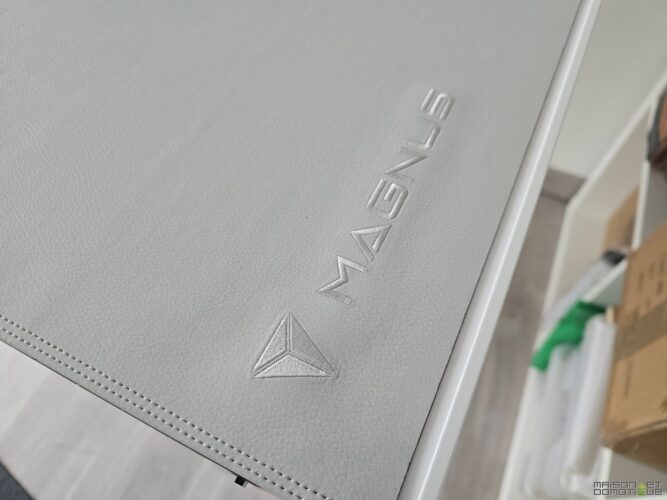
The manufacturer offers many different models, allowing you to change the look whenever you want, simply by buying a new mat. And there’s plenty of choice, from the simplest to the most well-known video game licenses.
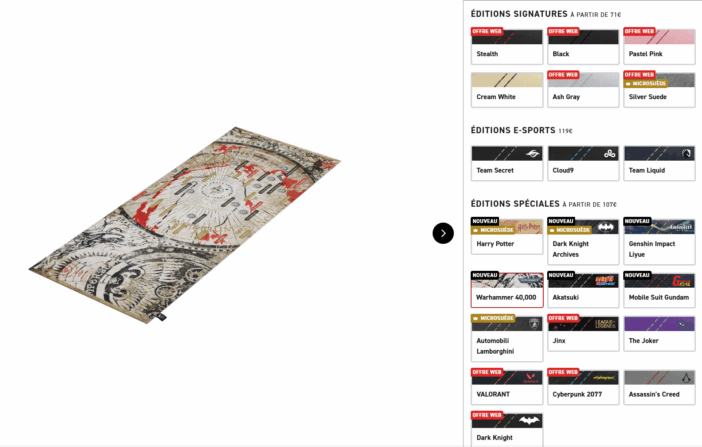
In terms of accessories, it’s a magnet party: headset stand, cable guides, cable covers, RGB LED strip… everything attaches and detaches in the blink of an eye, without tools or adhesive.
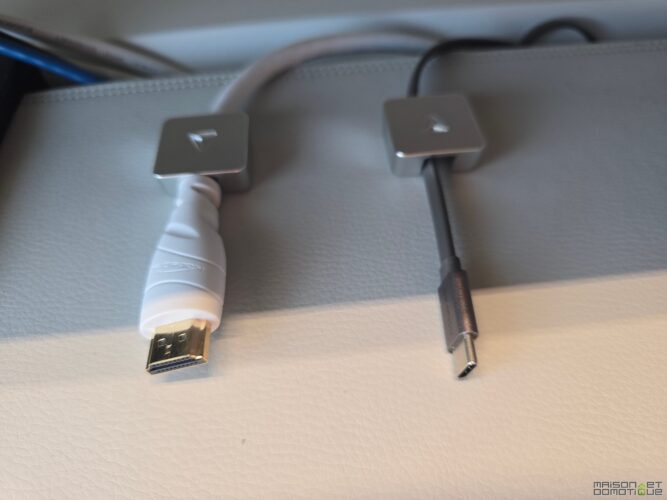
You can really adapt the desk to your needs, whether it’s for a triple-screen gaming setup, a minimalist workspace, or a streaming corner with microphone, camera, and all the kit.
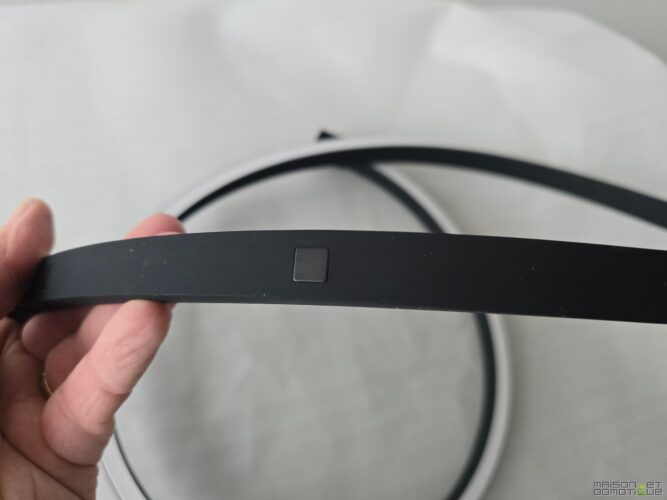
Cable management reaches a level rarely seen here: everything disappears into the trough, the wires are held in place by magnetic clips, and the only visible cable is the one powering the whole setup.
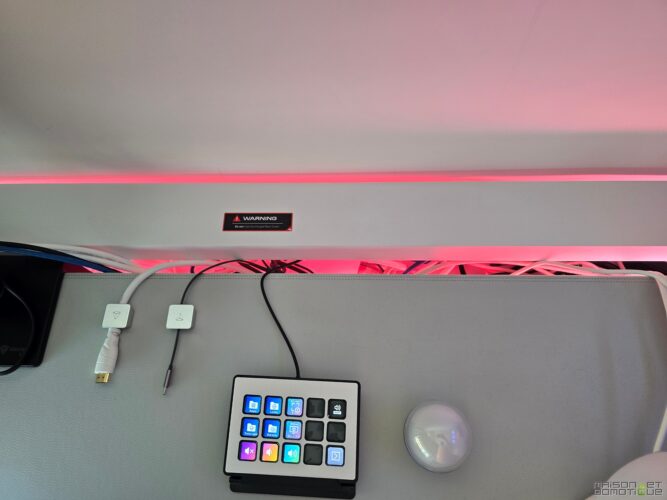
The result: a sleek, clean desk that exudes quality and makes you want to reinvent your workspace.
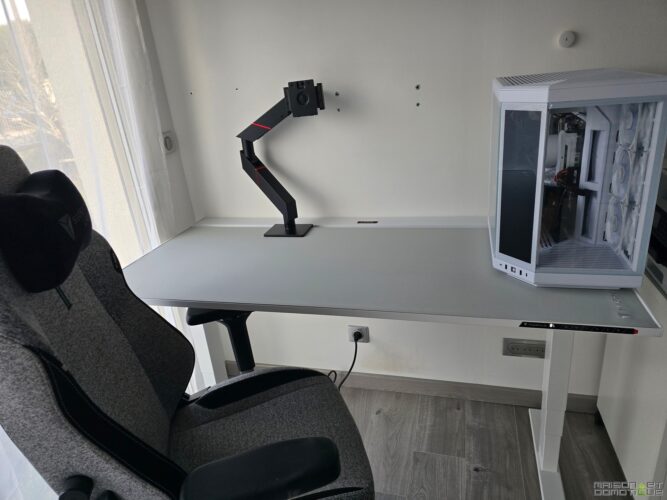
In short, setting up the SecretLab Magnus Pro is a bit like assembling a spaceship: everything is designed for performance, comfort, and modularity. You feel that every detail has been thought out to make the user’s life easier, from assembly to daily use. And honestly, once you’ve experienced this level of finish and practicality, it’s hard to look at your old desk the same way…
A quick video overview of the assembly steps:
User Feedback: A Desk That Changes Life (and Organization!)
It’s hard to hide my enthusiasm after several months spent with the SecretLab Magnus Pro. From the very first days, the practicality of cable management stands out (and frankly, you wonder how you managed without it before). The trough running the full length of the desk, accessible via a hatch at the back, allows you to hide power strips, chargers, routers, and all those cables that usually turn a setup into a plate of spaghetti. You plug everything in, close it up, and voila: only one cable (network) elegantly runs down the leg, hidden by a magnetic sleeve. Even when adding a microphone, a webcam, screens on articulated arms, and a charging mat, everything magically disappears.
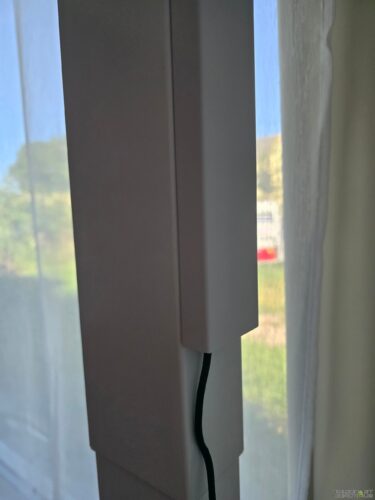
But the real highlight is the ecosystem of magnetic accessories. The headset stand? It clips in wherever you want under the tabletop, no screws or adhesive. The magnetic cable guides move in a flash to keep the wires precisely in place, and the cable covers install and remove effortlessly.
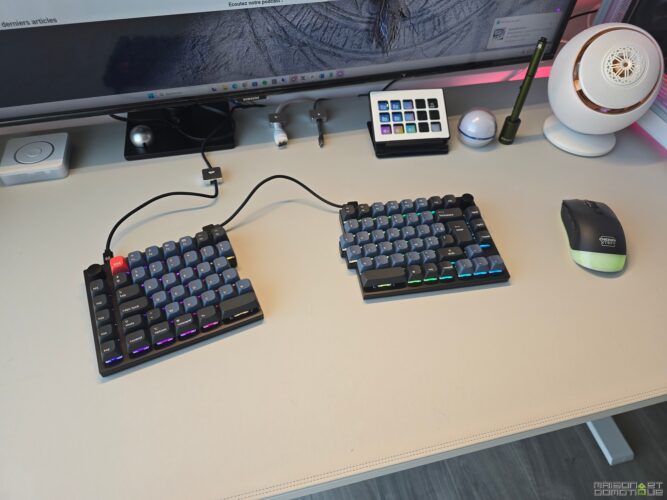
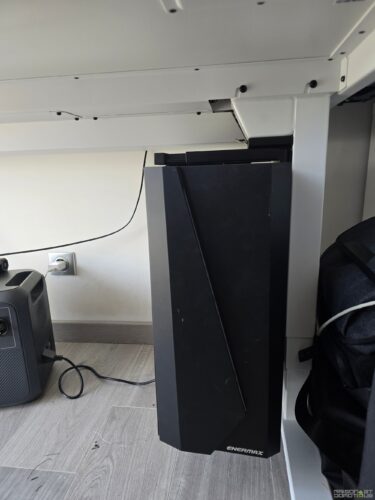
Even the RGB LED strip installs in seconds at the back of the desk, creating a personalized atmosphere that makes a nice effect during nighttime sessions. You can also add a PC mount to suspend your tower under the tabletop, or arms for monitors that attach directly to the trough, freeing up all the space on the desk. Frankly, it feels like playing with adult Legos, but with premium metal pieces.
In terms of usage, the sit-stand desk makes all the difference for health. I now alternate between sitting and standing several times a day, and the transition is smooth thanks to the silent motorization.
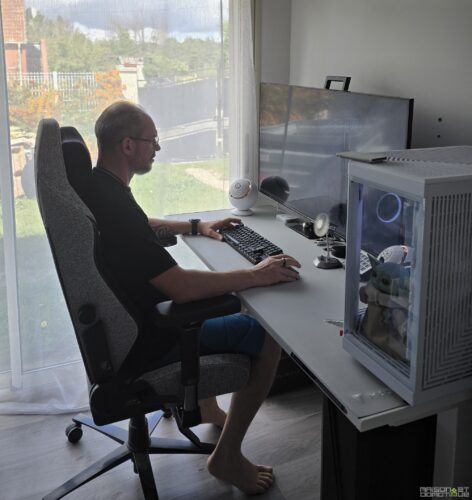
In just a few seconds, the tabletop adjusts to the ideal height (from 65 to 125 cm), and you can memorize three favorite positions. The result: less pain in the back and neck, better blood circulation, and a real boost of energy, especially during long writing or video editing days.
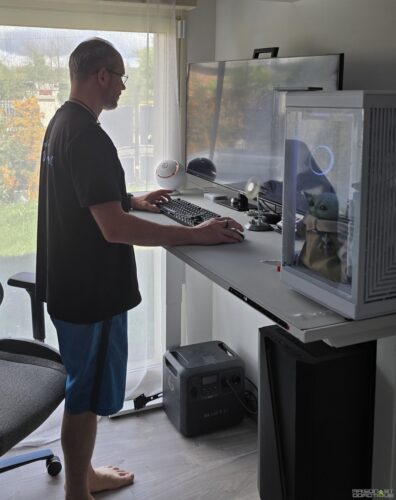
The surface of the desk, covered with the MAGPAD faux leather mat, is a real pleasure to the touch: soft, durable, it provides a smooth glide for the mouse and protects the tabletop from scratches or coffee stains. And if the mat wears out after a few years, simply replacing it brings the desk back to life.
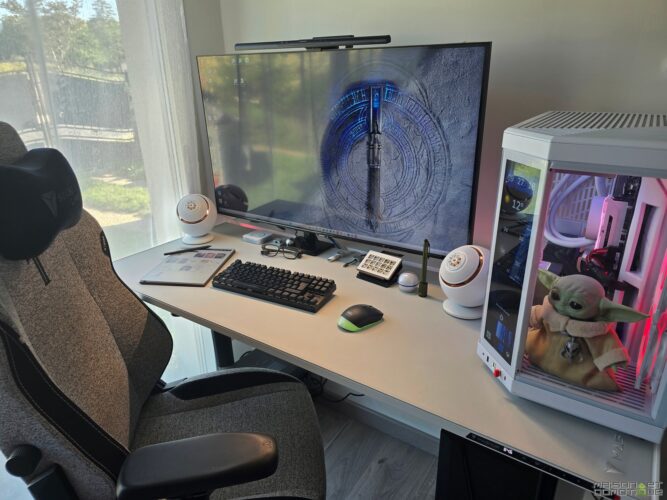
In daily use, the SecretLab Magnus Pro adapts to all situations: telecommuting, intensive gaming, streaming, video editing… It handles everything without a hitch. Even with a 40″ TV used as a monitor, a hefty tower, and an army of peripherals, stability is maintained, and the tabletop doesn’t shake even in the highest position. And let’s not forget the pleasure of seeing a perfectly organized desk, with not a wire sticking out; that’s priceless (well, it is, but you’ll quickly recoup it in terms of comfort and productivity). By the way, we’ll talk more about cable management in a dedicated article ;-)
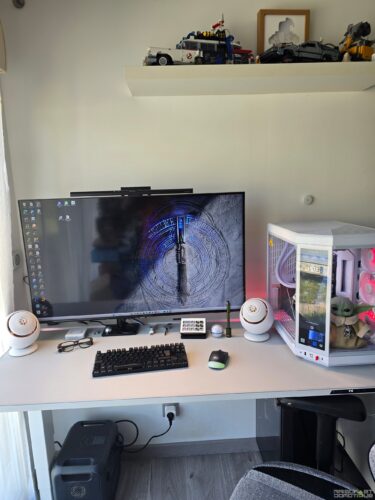
In summary, the SecretLab Magnus Pro is a desk that takes organization and ergonomics to a level rarely achieved. Its integrated cable management and magnetic accessories transform everyday life, and the sit-stand feature adds a real benefit for health, concentration, and the pleasure of working (or gaming) in a neat environment. Once you’ve tasted this comfort, there’s no going back!
Conclusion
It’s hard not to be captivated by the SecretLab Magnus Pro after several months of intense use. This motorized desk ticks all the boxes for the dream workstation (or gaming setup): rock-solid, impeccable finishes, and above all, an organization that borders on perfection thanks to its simply brilliant cable management system. No more trailing wires, no more unsightly power strips: everything disappears into the rear trough and the power leg, for a clean and minimalist setup that’s kind to the eyes and the mind.
But the SecretLab Magnus Pro doesn’t stop there. Its ecosystem of magnetic accessories truly transforms the experience: headset stand, cable guides, cable covers, monitor arms, RGB LED strip… everything sets up and moves in seconds, without tools, to adapt to your desires and the evolution of your hardware. You find yourself reorganizing your desk just for the fun of trying out new configurations.
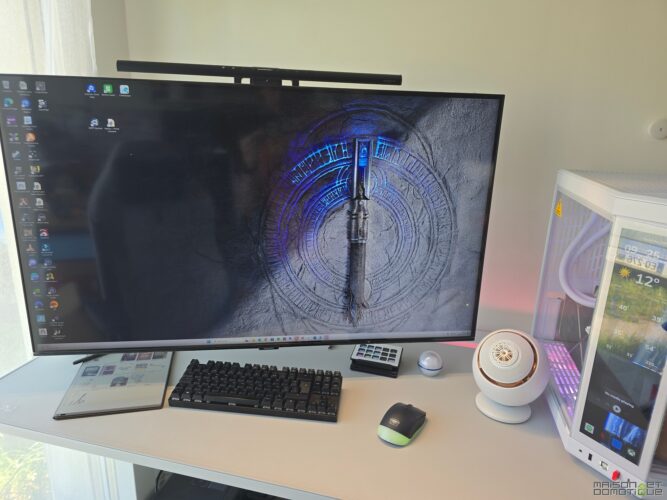
In terms of ergonomics, the motorized sit-stand function changes the game daily. Being able to alternate positions truly gives your back (and energy) a real boost. Lower back pain fades, concentration returns, and you simply feel better, even after long hours in front of the screen. Studies hammer it home: moving is the key to maintaining good health at the office, and the Magnus Pro makes this transition as simple as pressing a button.
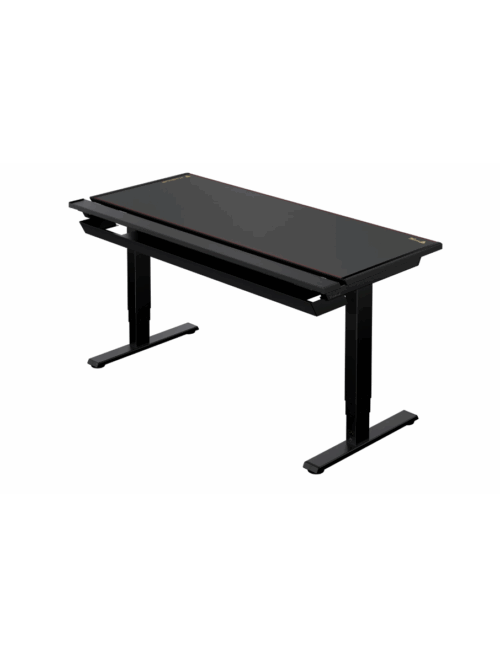
Of course, not everything is perfect. The price, especially if you splurge on accessories, remains high: you pay for the premium quality, modularity, and comfort. Its pricing, excluding accessories, ranges from €849 to €999 for the XL version. But it’s hard to find a competitor as comprehensive, well-thought-out, and pleasant to use daily. Another interesting point: SecretLab wisely offers its desk in two sizes, and in black or white, where most competitors only offer gaming desks in black (which clashed with my new setup, by the way :p). Ultimately, in this domain, the pricing doesn’t seem so high, as I’ve seen models at the last CES that cost three times as much :/ So yes, the Magnus Pro is certainly an investment, but also an ally that will accompany you for years without complaint.
In summary: if you’re looking for a motorized sit-stand desk that combines design, organization, comfort, and expandability, the SecretLab Magnus Pro clearly deserves a top spot on your list. A desk that makes you want to work… or play, standing, sitting, and always with a smile!



Please remain courteous: a hello and a thank you cost nothing! We're here to exchange ideas in a constructive way. Trolls will be deleted.