


Résumer cet article :
A gaming desk can showcase the most powerful components and the most sophisticated peripherals, but if the cables are hanging and tangled in all directions, the effect falls flat. Cable management is not a whim of a compulsive perfectionist: it’s a real issue that influences both visual comfort, daily efficiency, and even the longevity of the equipment. And let’s be honest: nothing is more frustrating than a brand new setup spoiled by cluttered wires.
Solutions exist, with varying degrees of success. Between sleeves, ties, and various DIY hacks, everyone has tried to impose a bit of order under their desk. The trouble is, a desk is not always designed for this. Fortunately, some brands have taken the problem head-on, like Secretlab with its Magnus Pro that we recently discovered in a comprehensive review: a desk designed to make cable management not only possible but almost natural. And that’s where the story becomes truly exciting.
Why care about cable management?
Let’s start with the obvious: no one wants a nest of snakes in the middle of their desk. Disorganized cables immediately give an impression of disorder, even if everything else is perfectly aligned. A setup with an ultra-wide screen, a mechanical keyboard, and a gaming-grade PC tower can lose its charm if unsightly cables are lying around everywhere. Visually, the eye is drawn to the chaos, and the overall aesthetic takes a hit.
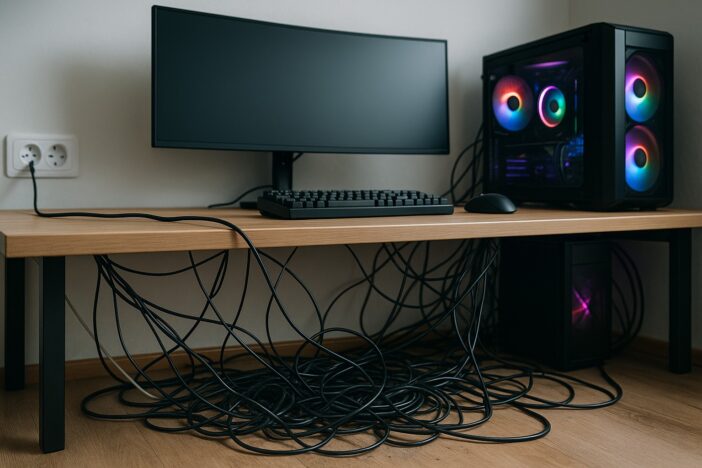
Beyond the look, there’s the practical aspect. A desk without cable management quickly becomes a minefield: cables caught under a chair wheel, a power strip inaccessible when trying to plug in a console, tangled wires that twist or get severed over time… This disorder also affects the durability of the equipment. A quality HDMI or DisplayPort cable is expensive and does not handle being mistreated all the time.
And let’s not forget a crucial detail: air circulation. Cables piled up behind a PC tower can sometimes hinder natural cooling, which is never a good thing when overclocking a GPU or running a multi-hour stream. In short, cable management is not an aesthetic whim; it’s a small investment in the comfort and longevity of one’s setup.
Best practices for cable management
The first golden rule is to centralize connections. Rather than a power strip placed on the ground that attracts dust and floating cables, it’s better to mount the power strip directly under the desk. This avoids having dangling extensions and simplifies connections.
The second rule: group. Loose cables pull in every direction, while a sleeved or tied cable stays nice and neat. Velcro straps are perfect (reusable and gentle on the cables), but some prefer sleeves or magnetic ties. The goal is the same: avoid scattered spaghetti.
Another secret is to identify your cables. Who hasn’t grumbled in front of a full power strip without remembering which cable powers what? A small label or color code radically changes life when you want to unplug just the console’s power without cutting off the PC’s. Personally, I use a small Bluetooth printer that allows me to easily customize all these labels.
Finally, don’t forget to anticipate. The classic mistake is to organize cables “to the millimeter”, with no margin, until the day you want to add a capture card or a new screen. It’s at that moment that you find yourself having to take everything apart. It’s better to leave a bit of slack and plan for future setup changes (gaming setups never stop evolving, right?).
Imagine, for example, a streamer preparing their space: camera on an articulated arm, Rode microphone attached laterally, two key lights on each side of the screen… without initial thought, the result is a veritable battlefield of cables. With proper organization, everything goes unnoticed, and the viewer sees nothing but a perfect image.
The limitations of traditional desks
Despite all the goodwill in the world and all the cable ties sold in stores, the problem remains: a traditional desk is often not designed to accommodate all that. People DIY power strip mounts, sometimes drilling through the tabletop to pass wires (to the dismay of those who paid a pretty penny for a solid wood desk), or sticking plastic cable conduits that give out after six months.
The result is that the installation works, but in a wobbly way. With every change or every new purchase, you have to dig back into the wiring. A recurrent hassle that ultimately discourages many. An optimized desk from the outset, now that changes the whole scenario.
The Secretlab Magnus Pro desk: when cable management becomes natural
As we have seen, the Secretlab Magnus Pro is not just any desk. First and foremost, it is an electrically height-adjustable desk, designed to alternate between sitting and standing positions. But the real gem is hidden elsewhere: its integrated cable management system.
Instead of forcing the user to improvise with makeshift accessories, Secretlab has devised a large cable compartment directly integrated behind the tabletop.
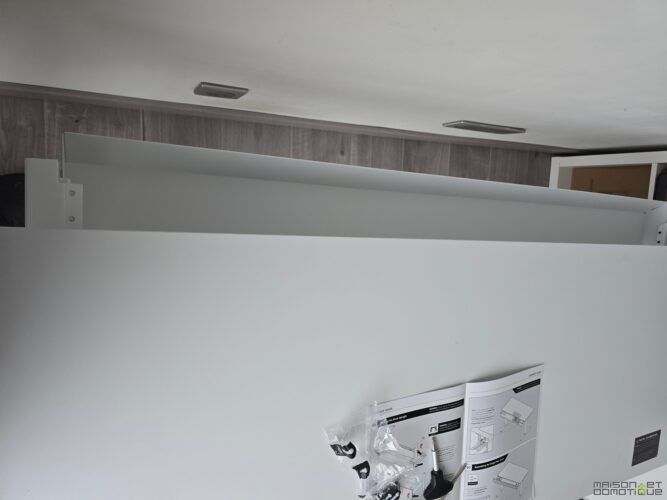
But the manufacturer also designed the “Power Supply Column”: the desk has an electrical outlet at the base of its leg, to power the desk itself, but also an outlet leading directly into the cable compartment.
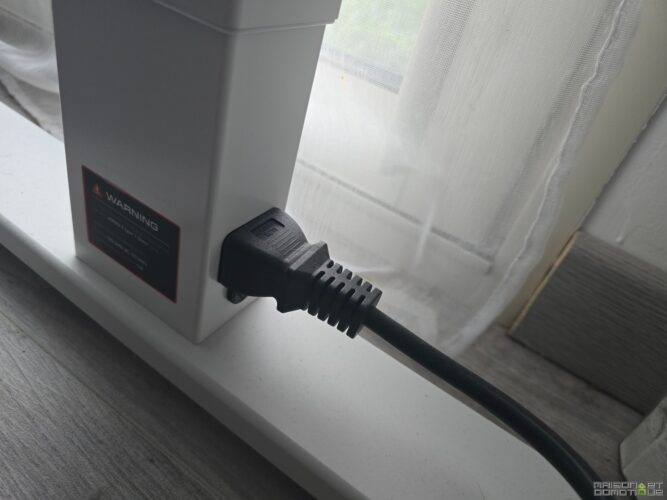
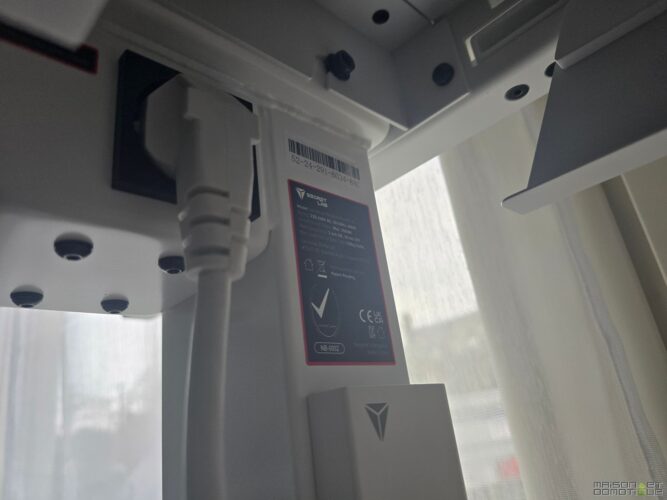
This channel thus serves as a backbone for all the power distribution. Cables connect directly into this space. The result: no wires appear at the back, the installation seems to float in perfect order.
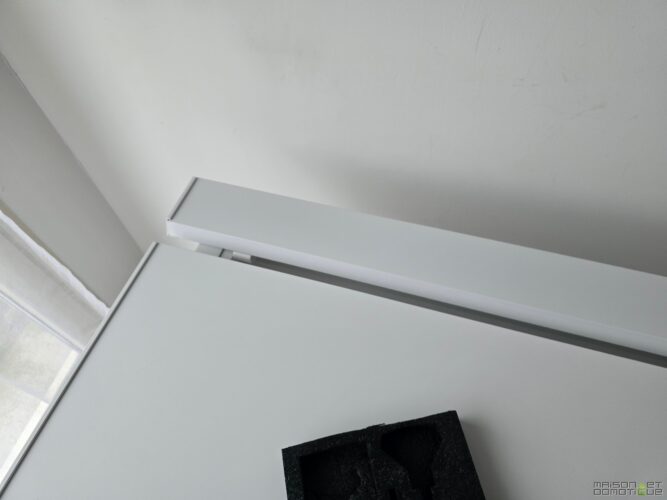
And the ingenuity doesn’t stop there. The cover lifts instantly to access the wiring without hassle. No more acrobatics to pull a USB cable stuck behind the tower. You open, adjust, and close. Simple, efficient. Even when the desk rises or lowers thanks to its motorization, the cables follow the movement without tension.
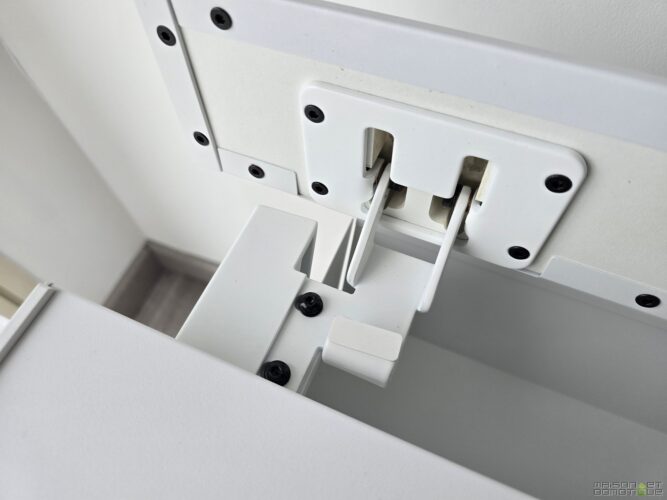
Let’s take a concrete example: a gamer with a large PC tower, an Xbox, two screens, a microphone on a boom arm, and a power strip bursting at the seams. With a traditional desk, it’s hard to avoid having something sticking out or getting tangled. With the Magnus Pro, organization seems natural: everything disappears into the compartment, perfectly masked. The result is stunning, and daily manipulation becomes surprisingly smooth.
The magic of the ultra-wide monitor mount
The other secret weapon of the Magnus Pro is its ultra-wide monitor mount. Because a large desk is useless if the monitor, the heart of the gaming setup, leaves dangling HDMI cables and power cords.
Secretlab has thought of everything: the support arm integrates a discreet pathway that literally swallows the cables within its structure.
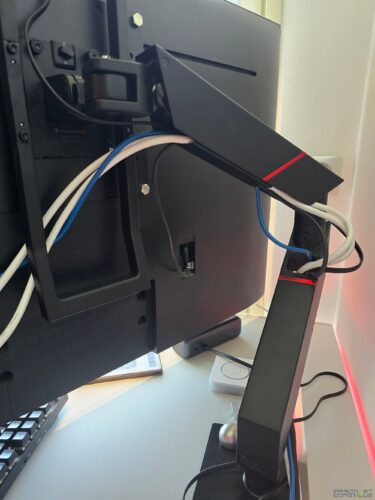
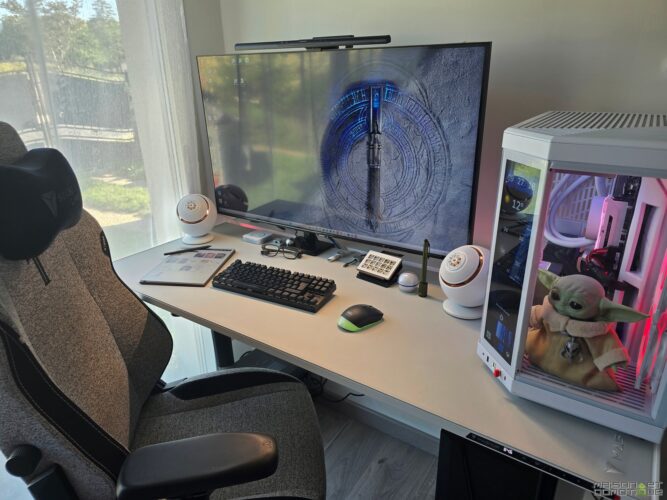
The result is that even with a massive screen, like a 49-inch curved one, no cables are visible at the back. The visual effect is striking: the screen seems to float above the desk, free from its material constraints.
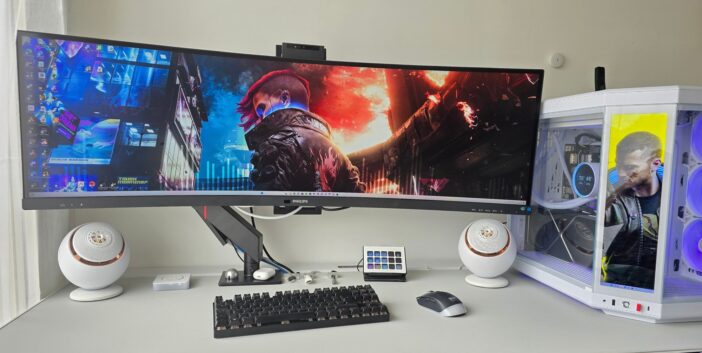
For a gamer diving into Cyberpunk or Flight Simulator, or for a professional juggling multiple work windows, the experience is incomparable.
Optimizing cable management with complementary accessories
The desk and monitor mount form the solid foundation, but Secretlab also offers a whole ecosystem of accessories that take cable management even further.
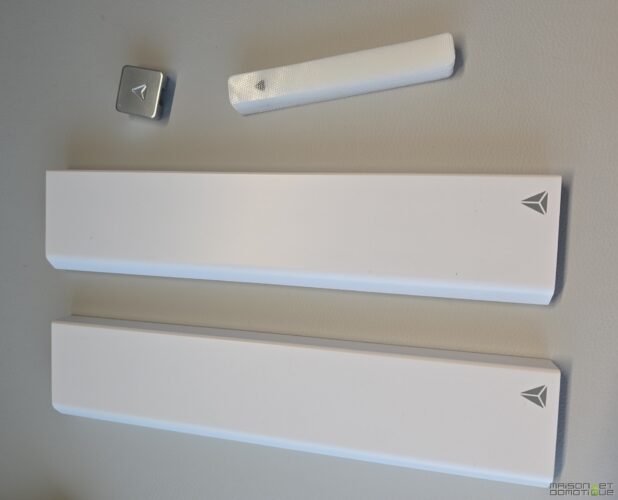

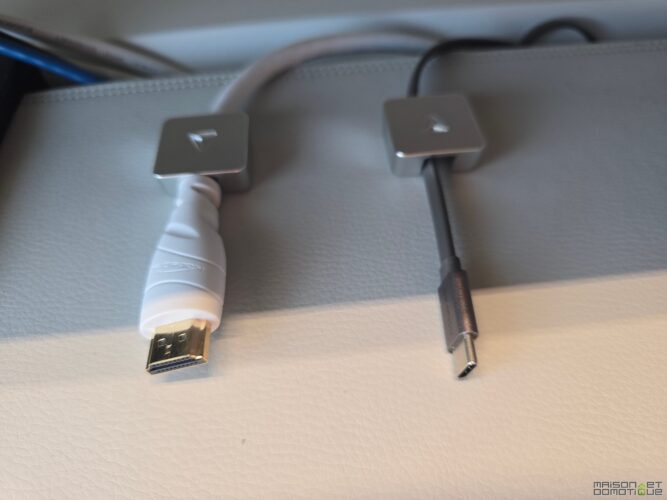
We think, for example, of magnetic strips that guide cables along the tabletop, or ultra-convenient magnetic ties to hold a temporary USB cable.
SecretLab even offers a magnetic ethernet cable extension that stretches along with the desk, allowing, like for the power supply, to have no visible cables:
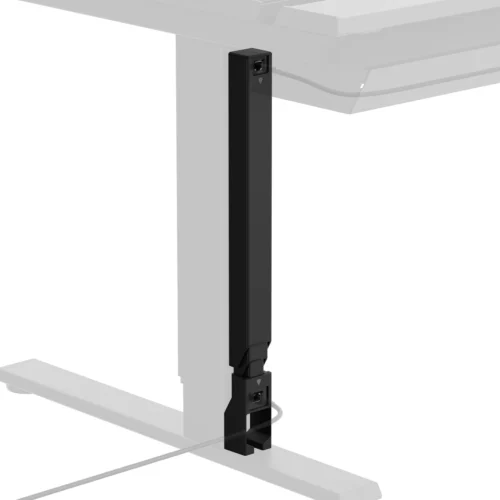
Well, I haven’t equipped myself with it because the white version doesn’t exist, and above all, this extension is limited to gigabit only. A shame when you have fiber and enjoy double the speed :/
Additional touches like an integrated RGB LED strip, synchronized with the setup, both hide the cables and visually transform the ambiance of the desk. By combining these accessories with some classic cable management tools (velcro, USB hubs under the tabletop, side cable pass-throughs), it literally becomes possible to set up a 100% clean desk, even with multiple consoles and peripherals.
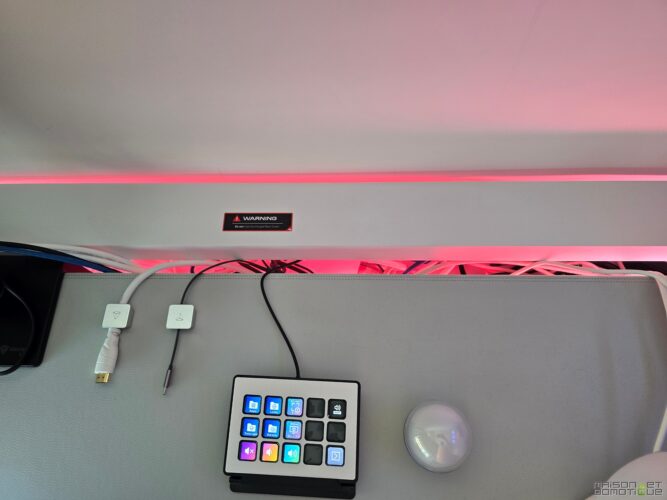
Imagine a dual-use setup: gaming at night with a RGB PC and a PS5, working during the day with a MacBook connected to the ultra-wide screen. With the Magnus Pro and its accessories, the transition between the two worlds occurs in total silence… and without a single wire breaking the aesthetic.
The daily benefits
The advantages of successful cable management are not limited to aesthetics. It also provides a huge gain in daily life. Plugging in a new peripheral becomes simple, as everything is structured and accessible. Cleaning your desk takes just a few minutes, without having to move a jungle of cables. The floor space is clearer, making the room more pleasant and fluid.
In video conferences or streaming, the background gains credibility: no unsightly cables in the background. Even your family appreciates it: no need to explain to them not to walk on “the black cable going to the power strip.” This discreet comfort truly changes the relationship to the desk, which ceases to be a technical clutter and becomes a clear and inspiring space.
Conclusion
Cable management is too often reduced to a question of “cable storage.” In reality, it’s a subtle art that can radically transform a desk. By choosing suitable furniture and simple practices, one can transition from a cluttered space to a true welcoming and motivating playground.
The Secretlab Magnus Pro embodies this philosophy. And I’ve rarely seen this in a desk. With its integrated system and ultra-wide monitor mount, it eliminates the most frustrating part of cable management. Gone is the anxiety of accumulating cables: each peripheral naturally finds its place, without spoiling the elegance of the whole.
In short, the Magnus Pro is not just an adjustable desk. It’s a daily ally for anyone who wants a space that is both beautiful, practical, and durable. And once you’ve experienced a desk without visible cables, it’s hard to go back… cable management becomes almost second nature!



Please remain courteous: a hello and a thank you cost nothing! We're here to exchange ideas in a constructive way. Trolls will be deleted.