


Résumer cet article :
Sunology has already established itself in recent years in the plug and play solar sector with its PLAY and PLAY Max stations, which we have had the opportunity to discuss numerous times. With the Sunology Storey, the French brand has tackled a subject that many were waiting for: simple-to-install residential storage, without heavy construction, without a hybrid inverter to replace, and with a genuine desire to make the battery more acceptable in a living space. On paper, the idea was attractive. A 2.2 kWh battery, plugged into a standard outlet, expandable up to 8.8 kWh per group, with intelligent control via the app, functionality even without internet thanks to the local gateway, and a gradual power increase from 500 to 2,000 W depending on the number of stacked modules. After a pre-order phase, and a bit of a delay in arrival, let’s just say it was highly anticipated!
But here it is, it is available, and has been in testing for a few months now at home. And I must say that this Storey does not quite resemble the other plug and play batteries already seen from Zendure, Anker, Hoymiles, or Marstek. Where many focus on immediate power, Sunology has chosen a different philosophy: each pack comes with its own 500 W bidirectional micro-inverter. The result is that you can increase both capacity and power by adding tiers. The choice is coherent from a thermal and acoustic standpoint, as it allows for passive cooling and thus operation without audible ventilation. But let’s discover it without any further ado…

Unboxing the Sunology Storey Battery
The care taken in the unboxing quickly stands out. Well-protected box, reusable straps to extract the battery, clear documentation, a base support included, and a yellow braided power cable that reflects the brand’s visual identity.


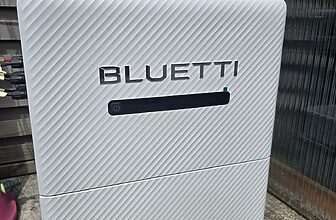
The whole gives a more premium impression than average for this type of product. The battery is not trying to look like technical equipment to hide in a garage. On the contrary, it embraces a sober, rounded, clean design, with a covering that allows it to blend into a living room, an office, or a laundry room.

The main pack measures 530 x 320 x 270 mm for 30.5 kg. The extension module retains the same width and depth but is reduced to 255 mm high for 26.5 kg. Sunology announces a LiFePO4 chemistry, an operating range of -10 to +55 °C, an IP64 protection, a capacity of 2,200 Wh per pack, and a power of 500 W per tier.

With four packs in the same group, you reach 8.8 kWh and 2,000 W. The physical logic of the product: a master module on top, a base at the bottom, and then up to three extensions in the middle.
The adjustable feet of the support are well thought out, especially if the floor is not perfectly level.

But it is also possible to replace them with wheels if one wishes to easily move the battery (useful especially in case of a power outage to supply other devices in the housing).


On top, Storey has a small display with light points and a sensitive button. It is not the interface of the year, but it is sufficient for essential information: charge percentage, graphical display of the level, charging or discharging status, Bluetooth pairing mode, backup outlet activation, restart, or update.

The screen is discreet, turns off quickly, and does not transform the battery into a luminous sign in the middle of the room. We appreciate that!
Technical Characteristics and Product Philosophy
The core of Storey is therefore this architecture “1 pack = 500 W + 2.2 kWh”. In other words, a single module stores 2.2 kWh and can absorb or deliver 500 W. With two modules, it goes to 4.4 kWh and 1,000 W. With three, 6.6 kWh and 1,500 W. With four, 8.8 kWh and 2,000 W. Sunology presents this as the POWERFIT technology, designed to minimize losses, distribute heating, and increase the lifespan of the whole. This is also what allows the brand to announce a battery “that lasts 40% longer,” even if this formulation is obviously marketing and must be brought back to actual usage conditions.

In practice, this approach makes sense. For a household that primarily seeks to smooth out its consumption peak in the evening, 500 W may suffice with 2.2 kWh. At 200 W of continuous consumption, this represents about 11 theoretical hours before complete depletion; at 300 W, it’s more like 7 hours. However, to absorb higher occasional peaks, like an oven, kettle, microwave, or coffee maker, a single pack quickly shows its limits. This is not necessarily an absolute flaw, but a real design choice. It needs to be embraced at the time of purchase, as the product is not designed to erase high power peaks on its own with a small configuration.

Another important point: Storey does not have a direct PV input. All charging goes through AC (standard outlet), relying either on the solar surplus detected by the STREAM ecosystem or the grid if using an appropriate tariff mode. This is what makes it compatible with both plug and play stations and an existing solar roof, without altering the already installed photovoltaic system. It’s simple, clever, and much more accessible for an individual than completely replacing an inverter with a hybrid solution.
So let’s discover how to install all this.
Installation of the Sunology Storey Battery
Physically, installing the battery alone is very simple. You place the base, put the master module on top, connect the cable at the back, and then plug the battery into an outlet.


On the ground, Sunology recommends a clean and properly protected circuit. The manual mentions a dedicated line, with ground present, and coherent sizing according to the number of packs. The manual also details the case of a connection on a non-dedicated circuit, with pack limits according to the cable section and circuit breaker size, as well as the case of a dedicated circuit. On this point, it’s important to remain serious: even if the product is “plug and play,” we are still talking about a bidirectional AC storage system, not a small USB accessory.
Pairing is then done through the STREAM app. The procedure is classic: long press for three seconds to activate Bluetooth, detection in the app, selection of the 2.4 GHz Wi-Fi network, entering the password, and then waiting for initialization.


Once the battery is connected, the app offers three modes. The SUNCAST mode works without additional accessories. The EXPERT mode relies on the Stream Connect + Stream Meter combination to control the battery based on actual measurements of the home.

The MANUAL mode allows defining a more contractual strategy, particularly around peak and off-peak hours. Sunology clearly emphasizes this logic of “three modes, zero complication,” which summarizes the product philosophy quite well.
The SUNCAST Mode: Interesting to Start, Limited for Precision
The SUNCAST mode is undoubtedly the most original aspect of Storey. The idea is simple: you input your solar power, your location, and the app calculates a charge and discharge schedule for the next day based on the weather and consumption profile. Sunology announces a forecasting accuracy of 95% on its official page. In practice, the system can indeed modulate charging quite coherently according to that day’s weather, but the result remains imperfect as soon as you deviate from a stable scenario.

This is logical. A weather forecast, even a good one, does not know what you will do at 12:12 with your oven, microwave, or washing machine. The battery may continue charging when the household needs it to discharge, or vice versa, because it follows a pre-calculated scenario and not an instantaneous measure of real need. The setting of discharging power is also somewhat rigid, as the update does not apply immediately but for the next day. Again, this is not blocking, but one feels that SUNCAST is a practical mode for someone who wants something simple without adding accessories, not the mode to prioritize for fine optimization.
In short, SUNCAST makes Storey usable right out of the box, and that’s already a good point. But it’s not the mode that reveals the full potential of the product. For true precise management, you need to use the complete STREAM ecosystem.
The Stream Meter: The Piece That Really Changes the System’s Interest
This is where Storey becomes much more relevant. The Stream Meter is the smart meter that we place in the electrical panel.

It mounts on a DIN rail and comes with three clamp sensors, allowing either a three-phase usage or a single-phase usage with one main clamp and two clamps dedicated to other measurements. This is a good idea: in a single-phase installation, the second clamp can, for example, be used to monitor solar production, which further refines the system’s understanding by the app.
The installation, however, requires a minimum of electrical skills. The Stream Meter must be powered via a 2 A circuit breaker, with voltage connections and correct placement of the clamp on the respective conductor, respecting the direction of the current.


The provided documents detail the principle well, including for single-phase, with the necessary manipulations to remove unnecessary conductors from the original three-phase terminal block. It is very well explained, very accessible for an electrician or a skilled DIY enthusiast, but it does go beyond the simple “plug and forget.” For an individual not comfortable in a panel, it’s better to have a professional involved.


The Stream Meter does not communicate directly with the battery. It goes through the Stream Connect, the gateway of the ecosystem.

This choice may seem to add another box, but it provides a real advantage: local continuity. Sunology indicates that the system continues to function even if the internet connection drops, due to Zigbee communication between the gateway and devices. This is a plus, especially for equipment intended to manage household energy on a daily basis.
Installation of the Stream Connect and Pairing of Accessories
The Stream Connect is a small box powered via USB-C, available with both Ethernet and Wi-Fi. The physical installation is simple: power, possibly network connection, then pairing in the app via a triple press if necessary.

Only after that do we add the Stream Meter in the accessories section of the app. Again, Sunology has chosen a very guided logic, with few options that might confuse the user. It’s not necessarily a tinkerer’s paradise, but for a consumer product, the approach is rather sound.

Once everything is in place, the battery switches to autopilot or expert mode. This time, it no longer operates on forecasts but on actual measurements. If the house injects 300 W to the grid, the battery can recover them. If the house consumes 250 W more than its production, the battery can compensate for that need, within the limits of its available power. This is where Sunology Storey becomes coherent, useful, and really interesting for self-consumption.

Daily Use: What Sunology Storey Does Well, and What It Needs to Improve
In use, the Sunology Storey has several obvious qualities. First, it operates silently. The passive cooling is real, the only noises being small relay clicks during state changes, far less bothersome than a fan that kicks in regularly. Next, it consumes very little in standby: around 2 W. Finally, its behavior is clean when conditions remain stable: with regular solar production and variable consumption, the system manages to approach a correct balance around zero watts imported or exported.

The observed efficiency also seems correct. My measurements show about 520 W absorbed on the AC side to recharge the battery at about 500 W, resulting in an efficiency of about 96% during this specific phase of conversion. One should not generalize this number to all scenarios or the entire chain over a full day, but it remains an interesting indication of the overall electrical behavior. Sunology, for its part, announces a global efficiency greater than 90%. So we are within norms.

Where the product is more critique-able is on its actual responsiveness. On its official page, Sunology announces surplus detection in under 2 seconds. However, if we look at the complete behavior, meaning not just the detection but also the actual change of charge/discharge state, the delay is more on the order of 5 to 10 seconds. Concretely, what does this mean? On a device that consumes for several minutes, it’s not dramatic. However, on a microwave, coffee maker, or oven that is coming to temperature, or rapid washing machine cycles, one inevitably loses a bit of finesse. The battery may continue to inject for a few seconds after the need has ended, or take time to recharge after the surplus has returned. If you also have a solar router on your water heater, these delays could even lead to diverting some of the battery’s energy to the water heater, which depletes storage faster than expected. This is not a universal scenario, but it is a very important point to be aware of when you have a somewhat advanced use of this type of system.

The STREAM app also shows some room for improvement. Overall stability is quite good, especially after updates, but one can sometimes experience slow or somewhat unsteady displays during transitions. In clear terms, the system seems to perform better than what the interface sometimes suggests. This is not dramatic, but for an energy monitoring product, the quality of visualization matters just as much as the electrical quality. Here, Sunology still has a little software work to complete.
The Backup Outlet: Useful, But Far from a True Emergency UPS
Storey has an integrated backup outlet. This is a good idea on the technical sheet, but it is crucial to be very clear about its actual operation. This outlet does not deliver power as long as the battery is connected to the grid. It only activates in the event of a power outage, with a switch-over delay around 30 seconds. It is therefore not an uninterruptible power supply. It is impossible, for example, to properly protect a PC, NAS, or router as a true UPS would.

This is probably one of the biggest frustrations of the product. Many would have liked to be able to plug in a fridge or a sensitive device permanently, with a seamless switch-over in case of failure. This is not what Storey currently offers. The backup output is a temporary solution, but it does not replace an UPS, nor does it fully exploit the potential one might imagine reading the term “backup.” This is compounded by the same power logic: 500 W with a single pack, then +500 W per extension. Again, everything is coherent with the overall architecture, but you need to know this before buying.
Integration with Home Assistant
This is the pleasant surprise for home automation enthusiasts: a community Home Assistant integration allows you to retrieve information from the Sunology ecosystem via the Stream Connect.

You install via HACS, then add the integration with the local IP address of the gateway. After restarting, Home Assistant retrieves a very comprehensive set of data.
Notably, you can find the SOC, charging/discharging/standby status, input and output powers, as well as more precise information like internal temperature.


In practice, this is almost one of the most appealing arguments of the Sunology Storey for the geek audience. First, because the data seem to refresh faster than in the official app. Next, because one can use these measurements in their own dashboards, historical records, and automations.

Finally, because one can cross-reference them with other sensors, like a Shelly Pro 3EM, a solar router, a charging station, or a Tempo tariff logic. This is clearly the point that shifts Storey from a “well-finished consumer product” to a “really interesting product to integrate into a broader energy strategy.”
Profitability and Pricing Positioning
On the pricing side, Sunology currently lists the Storey at €1,390 for the master pack 2.2 kWh / 500 W, and the extension at €1,190 (minus 10% discount with the code SUN_MAISONDOMOTIQUE.) To this, you add €129 for the Stream Connect and €99 for the Stream Meter if you want to benefit from full intelligent management. So you arrive at €1,618 for a truly optimized installation around a single pack.
This is the topic that raises some eyebrows. Not because Storey is poorly designed. On the contrary, the product shows real industrial thinking and overall coherence. But the competition is already well established, and some solutions offer more power or capacity at a similar price or even lower. Sunology responds by emphasizing longevity, the 7,500 cycles, a 15-year warranty, French design, and a longer-term storage cost that is more favorable than the purchase price might suggest. This argument holds. Nevertheless, in a highly competitive market, the entry ticket remains high, especially considering that a single pack only delivers 500 W.
In short, Storey is not a “good deal” battery. It is a thought-out battery, pleasant to live with, easy to use, well integrated into an ecosystem, but still requires a premium for this approach.
Who is the Sunology Storey For?
The Sunology Storey is not for everyone, and that’s precisely what makes it interesting.
It will be perfect for those who already have a plug & play solar installation or a small photovoltaic production, and who primarily seek to capitalize on their surplus without embarking on heavy work. Here, there is no need to replace an inverter or modify the entire electrical installation: you plug it in, configure it, and it works.
It is also a very good candidate for users who want a discreet and silent solution. Unlike some competing batteries, Storey can clearly find its place in a living space without noise or aesthetic nuisance.
It makes perfect sense for those who have a relatively stable consumption profile, typically between 200 and 400 W. In this case, even a single module can effectively smooth evening consumption and maximize self-consumption.

More advanced users, especially those using Home Assistant, will also find their satisfaction. The integration allows for retrieving numerous data and going much further in energy optimization, combining the battery with other equipment like a solar router, a charging station, or a tariff tracking like Tempo.
However, it might not be the best option for those looking to cover high power requests with a single module. With 500 W available, some uses will remain out of reach without adding extensions. It is also not a suitable solution if the primary goal is to have a true backup system in case of outage, as the backup function remains quite limited.
In summary, Storey is an ideal battery for intelligently optimizing self-consumption in a simple, scalable, and well-integrated framework… but it requires a clear understanding of its uses to make the most of it.
Conclusion
The Sunology Storey is an endearing battery. Yes, the term is well chosen. It has a successful design, real simplicity of installation, an original architecture, silent operation, a relatively accessible application, and especially a STREAM ecosystem that makes complete sense as soon as you add the Stream Meter. In this configuration, the product becomes much more relevant and precise than in simple predictive mode. The Home Assistant integration even adds a very interesting string to its bow for advanced users.
But we must also be honest: Storey is not yet perfect. Its actual responsiveness does not meet the level that official communication suggests, the backup outlet is far less versatile than expected, and the price remains high compared to competitors that are already well-equipped. With a single pack, the limitation to 500 W will be adequate for some uses but not for all. So it is not the universal battery that everyone was waiting for. However, for a user who prioritizes simplicity, silence, aesthetics, the Sunology ecosystem, and a cleanly managed self-consumption logic, Storey remains a serious, different proposal, and far from lacking interest. It’s a product with great ideas, real potential, and still a few details to fix to become an undisputed reference.
Normally sold for €1390, you can get a 10% discount with the code SUN_MAISONDOMOTIQUE.

Sunology Storey
⚡ What exactly is Sunology Storey?
The Sunology Storey is a plug & play solar battery that plugs into a simple power outlet. It allows you to store surplus electricity produced by solar panels for later use, especially in the evening. It operates on alternating current (AC) without modifying the existing installation.
🔌 Can you install the Sunology Storey yourself?
Yes, the basic installation is ultra-simple:
you place the battery, you plug it in… and that’s it 😅
However, to benefit from intelligent management (Stream Meter + Connect), it becomes more technical and requires intervention in the electrical panel.
👉 So:
simple version = plug & play
optimized version = electrician recommended
⚡ What is the actual power of the Sunology Storey?
Each module delivers 500 W max in charge or discharge.
👉 Therefore:
1 module = 500 W
2 modules = 1000 W
3 modules = 1500 W
4 modules = 2000 W
This operation is linked to the built-in micro-inverter in each battery.
🔋 What storage capacity can be achieved?
Each battery stores 2.2 kWh.
👉 Maximum:
4 modules = 8.8 kWh per group
Up to 3 groups → 26.4 kWh (in three-phase)
☀️ Does the Storey work without solar panels?
Yes 👍
It can:
– charge via the grid (off-peak hours)
– or store solar surplus
But without panels, the interest is clearly limited.
🤖 What is the SUNCAST mode?
The SUNCAST mode allows the battery to:
– predict solar production
– anticipate consumption
– automatically manage charge / discharge
👉 It is based on:
– the weather
– your location
– your declared solar power
⚠️ But it is prediction → so not always precise to the watt
🧠 What’s the difference between SUNCAST and EXPERT mode?
👉 SUNCAST:
– simple
– without additional equipment
– based on forecasts
👉 EXPERT (with Stream Meter):
– real-time management
– much more precise
– really optimizes self-consumption
👉 In short:
– SUNCAST = easy
– EXPERT = now it’s getting serious 🔥
📡 Does the battery work without internet?
Yes 👍
Thanks to Stream Connect, the system can continue to function locally even without an internet connection.
👉 A big plus compared to some cloud-only solutions
🔇 Does the Sunology Storey make noise?
No, nearly zero noise.
👉 Why?
– passive cooling
– no fan
As a result: it can remain in a living space without any problem.
⚠️ Can it power the entire house in case of a power outage?
No ❌
It has a “backup” outlet, but:
– activation only in case of outage
– switch-over delay
– limited power
👉 This is NOT a (UPS) uninterruptible power supply
🔌 Can you directly connect solar panels to it?
No ❌
👉 No solar input (no MPPT)
👉 everything goes through the power outlet (AC)
📱 Can the Storey be controlled with Home Assistant?
Yes 🔥
👉 via local integration
👉 real-time data:
– charge
– power
– battery status
And that… changes everything 😏
💰 Is the Sunology Storey profitable?
👉 It depends:
✔️ profitable if:
– you have solar surplus
– stable consumption
– you optimize with Stream Meter
❌ less profitable if:
– little surplus
– irregular use
– 1 single module (limiting at 500W)
👉 In short:
it’s not a miracle battery… but if used well → it can deliver great results
🧱 Can you add batteries later?
Yes 👍
👉 modular system:
– you start with 1 pack
– you stack more later
And each addition increases:
– capacity
– power



Please remain courteous: a hello and a thank you cost nothing! We're here to exchange ideas in a constructive way. Trolls will be deleted.